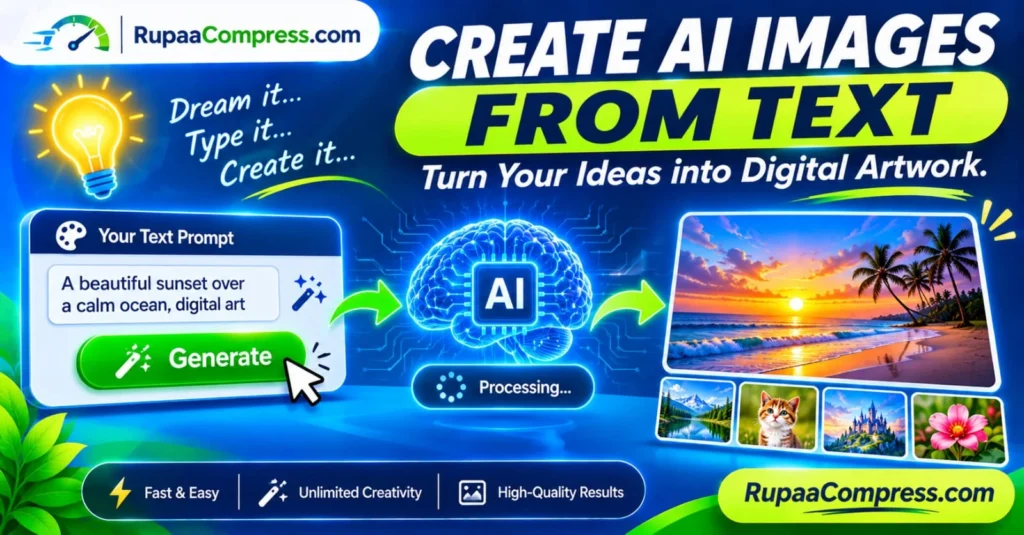
Imagine describing a beautiful sunset over a peaceful ocean, a futuristic city filled with glowing skyscrapers, or a professional product photograph featuring perfect studio lighting. Instead of creating every detail manually, you simply describe your idea in words and let artificial intelligence turn your description into an image.
This is the power of text-to-image artificial intelligence. What once required professional illustration skills, advanced graphic design software or expensive commissions can now be explored through AI image generation tools.
Artificial intelligence has introduced new possibilities for bloggers, digital marketers, social media managers, designers, business owners and everyday creators. Whether you need an attractive website banner, a blog featured image, a product concept or a creative social media graphic, text-to-image generators can help you transform written ideas into visual content.
The process is straightforward: describe what you want, generate an image, review the result and improve your prompt until you achieve the visual style you need.
In this comprehensive guide, you will learn how AI image generators work, how to write effective prompts, which types of images you can create and how to prepare generated artwork for websites and social media. You will also discover how to resize, compress and convert your downloaded AI images using online tools such as RupaCompress.
What Is Text-to-Image AI Generation?
Text-to-image AI generation is a technology that creates images based on written descriptions. Instead of drawing an object or designing an entire scene manually, users provide instructions in natural language. An AI model interprets those instructions and generates a visual result.
For example, imagine entering the following prompt:
“A beautiful tropical beach at sunset, golden sunlight reflecting on the ocean, palm trees, cinematic photography, realistic details, wide landscape composition.”
The AI generator attempts to create an image that matches the subject, environment, lighting and visual style described in your prompt.
You can create many different types of artwork, including realistic photographs, digital illustrations, fantasy scenes, abstract designs, product concepts, architectural visualisations and marketing graphics.
The quality and accuracy of the output depend on several factors, including the AI model, the prompt, the selected settings and the complexity of the requested image.
Text-to-image generation is useful because it allows people with different levels of design experience to experiment with visual ideas without needing to master traditional illustration techniques.
How Do Text-to-Image AI Generators Work?
When you enter a prompt into an AI image generator, several technical processes happen behind the scenes. Although the experience may look simple, the technology relies on machine learning models trained to recognise relationships between language and visual information.
Many modern image generators use diffusion-based techniques, although other architectures also exist.
1. Understanding Your Text Prompt
The first stage involves interpreting your written description. The system analyses the words and phrases in your prompt to identify the main subject, objects, environment, style and other visual instructions.
For example, consider this prompt:
“A modern glass house surrounded by green mountains during a beautiful sunrise, architectural photography.”
The system needs to understand several elements: a modern glass house, a mountain environment, morning lighting and an architectural photography style.
More detailed instructions can help communicate your intended result more clearly.
2. Converting Language into Mathematical Representations
AI models process information using numerical representations rather than understanding language exactly as humans do.
Text encoders convert words and phrases into representations that the image-generation model can use. These representations help connect the meaning of the prompt with visual patterns learned during training.
This is why changing a few words can sometimes produce noticeably different images.
For example, replacing “cinematic photography” with “watercolour illustration” changes the artistic direction of the requested output.
3. Generating and Refining the Image
Many popular text-to-image systems use diffusion processes. In simplified terms, these systems start from noise in a representation of the image and progressively refine it through a series of generation steps.
During this process, the model uses the text conditioning and learned visual patterns to move towards an image that reflects the prompt.
The result is not necessarily a perfect interpretation of every word. Complex instructions, small objects, unusual compositions and text inside images can still be challenging for some generators.
4. Producing the Final Artwork
After the generation process finishes, the system provides an image that you can review and download, depending on the platform’s available features.
Some tools allow you to generate several variations, change the aspect ratio, edit selected areas, increase image resolution or generate a new version using an improved prompt.
You can then use the downloaded image in a blog article, presentation, website, advertisement or personal creative project, subject to the generator’s applicable terms and usage restrictions.
Core Benefits of Creating AI Images from Text
Text-to-image generation offers several practical advantages for people who regularly create digital content.
1. Fast and Convenient Creative Workflow
Traditional illustration and graphic design can require considerable time, particularly when a project involves complicated environments, characters or visual effects.
AI image generation provides another way to explore these concepts. Instead of manually creating every visual element, you can describe the desired scene and generate an initial concept.
This can be especially useful for bloggers who publish frequently and need suitable featured images for different topics.
2. Explore Unlimited Creative Possibilities
AI generators make it easier to experiment with ideas that may be difficult or expensive to produce through traditional methods.
You can explore imaginary landscapes, futuristic architecture, fantasy characters, abstract compositions, historical environments and different artistic styles.
For example, a simple description of a modern city can be transformed into several visual directions, including realistic photography, digital painting, 3D artwork and science-fiction illustration.
3. Create Visual Concepts Without Advanced Design Skills
You do not need to be a professional illustrator to begin experimenting with text-to-image tools.
A clear written description is enough to get started. You can gradually improve your prompts by adding details about lighting, composition, colours, camera angles and artistic styles.
However, AI-generated results may still require editing, correction or professional review before they are suitable for commercial use.
4. Support Website and Blog Content Creation
Bloggers and website owners often need images for article headers, tutorials, category banners and promotional content.
AI-generated artwork can help create visuals that match a particular article topic instead of relying entirely on generic stock photographs.
For example, an article about website security could use an original illustration of a digital shield, while a travel article could feature an imagined landscape representing its destination.
5. Experiment with Different Marketing Concepts
Digital marketers can use AI-generated visuals to explore creative directions for advertising campaigns, social media posts and product presentations.
You can generate multiple concepts, compare their appearance and select the direction that best matches your campaign.
Remember that generated images should be reviewed for visual accuracy, brand consistency and platform requirements before publication.
How to Write Effective AI Image Prompts
The prompt is one of the most important parts of text-to-image generation. A vague description may produce an image that looks different from what you imagined. A well-structured prompt gives the AI model more information about the visual result you want.
A useful prompt should explain the subject, setting, visual style, lighting, composition and important details.
1. Describe the Main Subject Clearly
Start by identifying the most important object or subject in your image.
Instead of writing:
“Beautiful nature.”
Try:
“A peaceful mountain lake surrounded by green pine forests, with snow-covered mountains in the background.”
The second description gives the generator a clearer visual direction.
2. Include the Environment and Background
The environment helps establish the atmosphere of your artwork.
For example, you can describe a subject as being inside a modern office, on a tropical beach, in a futuristic city, within a forest or against a simple studio background.
If the background is important to your composition, explain it directly in the prompt.
3. Specify the Artistic Style
You can guide the appearance of an image by describing its intended style.
Some useful style descriptions include:
- Photorealistic photography
- Digital illustration
- Watercolour painting
- Minimalist vector artwork
- Cinematic photography
- 3D product rendering
- Editorial illustration
- Abstract digital art
Choose a style that matches the purpose of your project. A professional business website may benefit from clean and realistic visuals, while a fantasy story may require imaginative digital artwork.
4. Explain the Lighting and Colours
Lighting and colour can significantly influence the appearance of an image.
You can use descriptions such as soft natural lighting, warm golden sunlight, dramatic shadows, cool blue tones, pastel colours, studio lighting or a vibrant colour palette.
Par exemple :
“A modern workspace with a laptop on a wooden desk, soft morning sunlight entering through a window, warm neutral colours, realistic commercial photography.”
5. Include the Composition and Aspect Ratio
Composition describes how the subject and other elements are arranged within the image.
If you need a wide website banner, request a landscape composition. If you are creating a social media Story, request a vertical composition.
You can also specify details such as a centred subject, empty space for a headline, close-up photography or a wide camera angle.
Remember that the image generator’s aspect ratio settings may determine the actual output dimensions. Mentioning “16:9” in a prompt does not necessarily guarantee an exact pixel size.
Practical AI Image Prompt Examples
Here are some examples you can adapt for different creative projects.
Example 1: Website Featured Image
“Professional modern technology workspace with a laptop displaying a digital dashboard, clean desk, soft natural lighting, minimal background, realistic commercial photography, wide landscape composition, suitable for a technology blog featured image.”
Example 2: Social Media Marketing Graphic
“Creative digital marketing concept showing colourful social media icons floating around a smartphone, modern professional illustration, balanced composition, vibrant colours, clean background, square format.”
Example 3: Nature and Travel Artwork
“A breathtaking tropical beach with turquoise water, white sand, green palm trees and a beautiful golden sunset, realistic travel photography, warm natural lighting, wide landscape composition.”
Example 4: E-commerce Product Concept
“Premium skincare bottle displayed on a clean white surface, elegant studio lighting, soft shadows, neutral background, realistic product photography, minimal luxury advertising style.”
Example 5: Artificial Intelligence Technology Artwork
“A futuristic artificial intelligence concept featuring a glowing digital brain surrounded by connected data networks, deep blue background, subtle green highlights, modern technology illustration, cinematic lighting, wide composition.”
These prompts are starting points. You can modify the subjects, colours, background details and artistic direction to create visuals that match your project.
Popular Uses of AI-Generated Images
Text-to-image generation is useful across several industries and creative activities.
Blogging and Website Design
Bloggers can generate original illustrations for educational articles, tutorials, product comparisons and technology guides.
For example, a website publishing an article about online privacy could create a digital illustration showing a smartphone protected by a security shield.
When using generated artwork as a featured image, make sure it matches the article’s subject and does not misrepresent factual information.
Contenu des médias sociaux
Social media managers can experiment with AI-generated images for Instagram posts, Facebook graphics, Pinterest content and other promotional materials.
You can generate a visual concept and then resize it for the intended platform. This helps maintain a consistent visual style across different content formats.
E-commerce and Product Concepts
Business owners can use AI-generated visuals to explore product packaging, advertising concepts, background ideas and presentation styles.
However, AI-generated product imagery should not misrepresent an actual product. If a customer is purchasing a specific physical item, its appearance, features and specifications should be represented accurately.
Education and Presentations
Students, teachers and business professionals can use AI artwork to illustrate concepts, explain topics and improve presentation design.
For example, a presentation about renewable energy could include an AI-generated illustration of solar panels, wind turbines and a modern sustainable city.
Creative Projects and Digital Art
Artists and hobbyists can use text-to-image systems to experiment with new visual ideas, develop concepts and explore different artistic approaches.
AI generation can support the creative process, although it does not replace the need for human judgement, editing and original creative direction.
How to Generate AI Images from Text: Step-by-Step Guide
If you are new to AI image generation, follow this simple workflow to create your first image.
Step 1: Decide What You Want to Create
Start with a clear idea. Think about the subject, purpose and intended audience of your image.
For example, you may want to create a landscape illustration for a blog article, a product concept for an online shop or a creative visual for a social media campaign.
Having a clear objective makes it easier to write a useful prompt.
Step 2: Choose a Text-to-Image AI Generator
Select an AI image-generation platform that supports the type of artwork you want to create.
Different platforms offer different models, image styles, output resolutions, editing features and pricing structures.
Before using a service, review its account requirements, usage limits, privacy policy and commercial licensing terms.
Step 3: Write Your Prompt
Enter a descriptive prompt containing the subject, environment, style, lighting and composition.
Par exemple :
“A modern smart home surrounded by green gardens, large glass windows, beautiful morning sunlight, realistic architectural photography, clean composition, wide landscape image.”
Avoid including too many unrelated instructions. A focused prompt is often easier for the model to interpret.
Step 4: Generate and Review the Results
Start the generation process and review the resulting image.
Check whether the subject looks correct, the composition matches your requirements and the image contains any unwanted details.
AI-generated images can sometimes include unusual objects, distorted text, inconsistent backgrounds or inaccurate details. Do not assume every result is ready for publication.
Step 5: Improve Your Prompt
If the first result is not what you expected, adjust the prompt.
You might need to describe the lighting more clearly, change the background, specify the camera angle or select a different artistic style.
Generate additional variations until you find a suitable result.
Step 6: Download Your Artwork
Download the selected image using the available export options.
Check the file format, dimensions and file size. Keep an original copy before making further edits or compression changes.
Step 7: Resize and Compress Your Image
Before publishing your AI artwork, prepare it for the intended platform.
For example, a blog featured image may require a landscape layout, while a social media Story needs a vertical image.
Use RupaCompress image utilities to resize, crop or compress your downloaded artwork. This can help reduce unnecessary file size and prepare images for website publishing.
Step 8: Publish and Add Descriptive Alt Text
Upload your final image to your website or intended platform.
For website images, write meaningful alternative text that describes the visual content in context. For example:
“AI-generated illustration of a futuristic city with illuminated skyscrapers at night.”
Alt text should describe the actual image rather than simply repeat a list of keywords.
Optimizing AI-Generated Images for Websites
Generating an image is only one part of preparing it for online use. Large image files can increase page weight and make websites slower to load, particularly on mobile connections.
If you regularly publish AI-generated artwork on a blog, business website or online store, image optimization should be part of your publishing workflow.
Redimensionner les images aux dimensions requises
AI generators may produce images that are larger than your website actually needs.
For example, if your article layout displays a featured image at approximately 1200 pixels wide, uploading a much larger image may use unnecessary storage and bandwidth.
Resize the image according to the intended display area while maintaining the correct aspect ratio.
Compress Without Excessive Quality Loss
Image compression reduces the amount of data required to store an image.
For photographs and detailed AI artwork, lossy compression can often reduce file size considerably. However, aggressive compression may introduce visible artefacts, especially around fine details and text.
Compare the original and compressed versions before publishing.
Choose an Appropriate File Format
JPEG is a common choice for photographic images. PNG is useful for graphics that require transparency or sharp edges. WebP can offer efficient compression and is widely used for website images.
The best format depends on the image content, website compatibility and performance requirements.
Use Descriptive Image Filenames
Before uploading, rename your image with a clear and relevant filename.
Par exemple :
ai-image-generation-guide.webptext-to-image-ai-artwork.jpgfuturistic-city-ai-illustration.webp
Avoid generic filenames such as image001.jpg when a meaningful description is available.
Ajouter un texte alternatif pertinent
Alt text helps communicate the content of an image to users who rely on screen readers and provides additional context for search engines.
Write naturally and accurately describe what the image shows. Do not add unrelated keywords or claim that an AI-generated image represents a real photograph.
Privacy Considerations When Using Online AI Generators
Many AI image-generation services operate through cloud-based systems. When you enter a prompt or upload a reference photograph, the information may be transmitted to the provider’s servers for processing.
This matters when working with confidential business concepts, unpublished campaign designs, private photographs or other sensitive reference material.
Before uploading files to an AI platform, review its privacy policy and understand how prompts, uploaded images and generated outputs may be stored or used.
Check whether the provider uses submitted content for model improvement, whether you can control data retention and whether the service offers appropriate privacy settings.
Avoid uploading confidential customer information, private documents or commercially sensitive reference photographs unless you have permission and understand the platform’s data-handling practices.
Preparing AI Artwork Privately with Browser-Based Image Tools
After generating and downloading an image, you may need to crop, resize or compress it before publishing.
Browser-based image tools can make this process convenient. Some use client-side technologies such as JavaScript and the HTML5 Canvas API to perform image operations directly on your device.
When the relevant RupaCompress tool performs processing locally, the selected image can be processed in your browser without uploading the original file to a remote processing server.
This can be useful when preparing unpublished designs, private photographs or other creative assets.
However, privacy depends on the implementation of each tool and the behaviour of the wider website. Do not assume that every online feature operates locally simply because it runs in a browser. Check the tool’s privacy information and verify its actual processing behaviour when handling sensitive files.
RupaCompress offers image utilities designed to help with common tasks such as image compression, resizing, cropping and format conversion. You can explore the available tools at RupaCompress.com.
Common Mistakes to Avoid When Creating AI Images
Although AI image generation is relatively easy to start using, some mistakes can affect the quality and usefulness of your final artwork.
Writing overly vague prompts: A prompt such as “Create a nice picture” provides very little creative direction. Include the subject, environment and visual style to communicate your idea more clearly.
Adding too many unrelated details: Long prompts containing conflicting instructions can make the desired result difficult to achieve. Keep your description focused and organised.
Ignorer les dimensions de l'image : A beautiful image may not fit your intended website or social media placement. Choose the required aspect ratio before generating or editing the image.
Publishing without reviewing: AI-generated images can contain distorted objects, inaccurate details and unwanted visual elements. Always inspect the final output.
Ignoring licensing conditions: Not every AI platform offers identical commercial usage rights. Review the applicable terms before using generated images in advertisements, online stores or client projects.
Téléchargement d'images non optimisées : Large files can increase website page weight. Resize and compress images appropriately before publishing.
Using misleading visuals: Do not present generated artwork as genuine product photography, documentary evidence or a real-world event when it is not.
Foire aux questions (FAQ)
How do I create AI images from text?
Choose a text-to-image AI generator, enter a descriptive prompt explaining the subject and visual style, and start the generation process. Review the results, adjust your prompt if necessary and download your preferred image.
Can I create AI images without design skills?
Yes. Most text-to-image generators are designed to let users create images using written instructions. You do not need professional illustration skills to get started, although learning how to write effective prompts and review the results can improve your output.
Are AI-generated images free to use?
Some AI platforms offer free image generation, while others require a subscription or use a credit-based system. Free access does not automatically mean unrestricted usage. Check the platform’s pricing and licensing terms.
Can I use AI-generated images for commercial projects?
Commercial usage rights depend on the AI generator’s terms, the model used and any applicable third-party rights. Review the licensing conditions before using generated images in advertisements, products, client work or commercial websites.
What makes a good AI image prompt?
A good prompt clearly describes the main subject, background, lighting, colours, artistic style and composition. Specific instructions usually provide better creative direction than very short or vague descriptions.
Can AI generate realistic photographs?
Yes. Many modern text-to-image systems can generate highly realistic-looking images. However, realistic appearance does not guarantee factual accuracy. Review the output carefully, especially when it includes people, products, locations or important information.
What is the best image format for AI-generated artwork?
JPEG is suitable for many photographic images, PNG is useful for graphics requiring transparency, and WebP can provide efficient compression for websites. Choose a format based on image content and the requirements of your publishing platform.
How do I reduce the file size of AI-generated images?
Use an image compression tool to reduce file size. You can also resize oversized images and select an appropriate output format. Compare the compressed image with the original to ensure that important details remain clear.
Can I use AI-generated images on my WordPress website?
Yes, subject to the AI platform’s usage terms and any relevant rights. Before uploading, resize the image to suit your WordPress layout, compress it appropriately, choose a suitable file format and add descriptive alt text.
Do I need to disclose that an image was AI-generated?
Disclosure requirements depend on the platform, country, industry and intended use. Some advertising, publishing and professional contexts may require clear disclosure. Check the relevant rules and platform policies before publishing.
Conclusion
Creating AI images from text has made digital artwork more accessible to bloggers, designers, marketers, business owners and everyday creators. By describing an idea in natural language, you can explore different visual styles, develop creative concepts and produce artwork for websites, social media, presentations and other digital projects.
The key to achieving better results is learning how to write clear prompts. Describe your subject, background, lighting, colours and composition, then review and refine the generated images until they meet your requirements.
However, generating an image is only the beginning. Before publishing, check its accuracy, review the applicable usage rights, resize it for the intended platform and compress it to reduce unnecessary file size.
Ready to prepare your AI-generated artwork for online publishing? Visit RupaCompress.com to explore free image tools for cropping, resizing, compressing and converting your images. You can also discover more practical image optimization guides on the Blog RupaCompress.