Artificial intelligence has changed the way people create, edit, and share digital images. Modern AI image generators can produce realistic portraits, landscapes, product photographs, illustrations, and even scenes that appear to document real-world events.
Although these tools offer exciting opportunities for artists, designers, marketers, and content creators, they also create a growing challenge: distinguishing authentic photographs from AI-generated images.
A realistic-looking picture shared on Facebook, Instagram, TikTok, or a news website may not always represent something that actually happened. Some images are created entirely using artificial intelligence, while others combine real photographs with AI-generated or heavily edited elements.
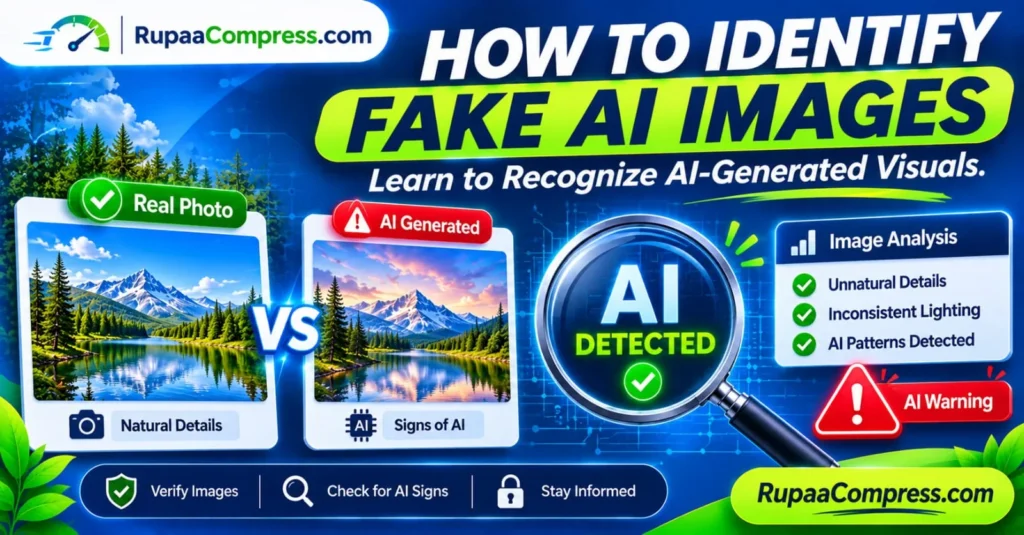
Learning how to identify fake AI images is therefore an important digital skill. It can help you avoid misinformation, recognise suspicious online content, protect yourself from scams, and make better decisions before sharing photographs.
In this guide, you will discover the common signs of AI-generated images, learn how to check image sources and metadata, understand the limitations of AI detection tools, and explore practical steps for verifying suspicious visuals.
What Are AI-Generated Images?
AI-generated images are digital pictures created or substantially modified using artificial intelligence models. Instead of capturing a scene with a traditional camera, a user can provide a text prompt, reference image, or other input and ask an AI system to generate a visual result.
For example, someone could enter a prompt such as:
“Create a realistic photograph of a golden retriever sitting outside a modern house during sunset.”
An AI image generator can produce a picture based on that description without a real photographer capturing the scene.
Some AI tools also allow users to modify existing photographs. They can replace backgrounds, add objects, remove people, change facial expressions, or transform the overall appearance of an image.
This means that not every suspicious picture is entirely AI-generated. Some visuals are authentic photographs that have been edited using AI.
Understanding this difference is important when evaluating digital images.
Why Is It Important to Identify Fake AI Images?
AI-generated images are not automatically harmful. They are widely used for creative projects, advertising, education, entertainment, and digital design.
Problems arise when synthetic images are presented as genuine photographs without appropriate disclosure, particularly when they relate to real people, public events, products, or important news stories.
1. Preventing Online Misinformation
A realistic AI-generated photograph can be shared with a misleading caption to make people believe that an event occurred.
For example, an artificial image showing a supposed natural disaster, political event, or public emergency could circulate online before its authenticity is checked.
Checking the original source and looking for independent reporting can help prevent the spread of false information.
2. Recognising Online Scams
Fraudsters may use AI-generated profile photographs, fake identities, fabricated product pictures, or synthetic business images to make fraudulent websites and social media accounts appear trustworthy.
Recognising suspicious images is one part of evaluating whether an online seller, profile, or advertisement is legitimate.
3. Protecting Personal Identity
Deepfake technology can create misleading images and videos that imitate real people. These materials may be used for impersonation, harassment, fraud, or reputational damage.
Understanding how synthetic media works can help people respond more carefully when they encounter suspicious content involving themselves or others.
4. Maintaining Website Credibility
Bloggers, publishers, journalists, and website owners need to consider image authenticity when publishing visual information.
Using an AI-generated image as if it were genuine documentary photography can damage audience trust.
When an image is illustrative or AI-generated, clear disclosure helps readers understand what they are viewing.
12 Signs That an Image May Be AI-Generated
Modern AI image generators have improved significantly. Older detection clues, such as extra fingers or strange-looking eyes, are no longer reliable in every situation.
Nevertheless, careful visual inspection can still reveal inconsistencies.
The following signs are useful clues, not definitive proof.
1. Unnatural Hands and Fingers
Human hands are complex structures, and some AI-generated images still contain unusual details.
Look carefully at:
- Fingers that appear fused together.
- Unnatural finger lengths or shapes.
- Missing or extra fingers.
- Strange thumb positions.
- Hands that seem disconnected from the wrist.
- Objects that appear to merge into the hands.
However, real photographs can also contain distorted-looking hands because of motion blur, unusual camera angles, or image compression.
2. Unusual Facial Features
AI-generated portraits may contain small inconsistencies around the eyes, ears, teeth, and facial proportions.
Look for:
- Eyes that appear misaligned.
- Unnatural reflections in the eyes.
- Teeth that look merged or irregular.
- Earrings that differ unexpectedly.
- Unusual hairlines.
- Facial features that do not match the lighting.
These details can become difficult to detect in newer AI-generated images, so avoid relying on facial appearance alone.
3. Inconsistent Lighting and Shadows
Real-world photography follows physical lighting conditions.
If a scene contains multiple objects, their shadows and reflections should generally make sense in relation to the light sources.
Possible warning signs include:
- Shadows pointing in conflicting directions.
- Objects appearing illuminated from incompatible angles.
- Reflections that do not match nearby surroundings.
- Faces with lighting that differs from the environment.
- Objects that appear to have no believable contact shadows.
Photographic lighting can also be complex, particularly indoors or in scenes with several light sources. A lighting inconsistency is a reason to investigate further, not proof of AI generation.
4. Distorted Background Objects
AI-generated images sometimes contain background elements that do not follow normal physical structures.
Look closely at:
- Buildings with unusual architectural details.
- Windows that appear uneven or incomplete.
- Fences with inconsistent spacing.
- Furniture with strange shapes.
- Roads or pathways that change direction unexpectedly.
- Objects that merge into one another.
Zooming into the background can reveal details that are difficult to notice when viewing an image at a smaller size.
5. Unreadable Text and Incorrect Lettering
AI image generators may produce text that looks realistic from a distance but contains incorrect letters, unusual symbols, or meaningless words.
This can be particularly noticeable in images containing:
- Shop signs.
- Product labels.
- Street signs.
- Number plates.
- Posters.
- Documents.
- Brand names.
Some modern AI systems can generate readable text, so correctly rendered lettering does not automatically establish authenticity.
6. Repeating or Unnatural Patterns
Look for patterns that appear repetitive or inconsistent.
Examples include:
- Identical-looking objects repeated in the background.
- Clothing patterns that suddenly change.
- Unusual jewellery designs.
- Repeating architectural details.
- Objects that appear to blend into surrounding textures.
AI-generated images may contain visual inconsistencies where complex repeating patterns are involved.
7. Overly Smooth Skin and Surfaces
Some synthetic portraits have unusually smooth skin, artificial-looking hair, or perfectly polished surfaces.
Possible clues include:
- Skin with very little natural texture.
- Hair that appears painted.
- Clothing without realistic fabric details.
- Plastic-looking surfaces.
- Unnatural blending around facial edges.
However, professional retouching, beauty filters, and smartphone portrait modes can produce similar effects in real photographs.
8. Unnatural Reflections
Mirrors, windows, glasses, and reflective surfaces can reveal inconsistencies.
For example, a reflection might show an object in the wrong position or fail to match the surrounding scene.
Check whether:
- A mirror reflects the expected objects.
- Sunglasses show believable environmental reflections.
- Water reflections correspond to nearby objects.
- Glass surfaces interact realistically with light.
Reflections can be difficult to interpret even in genuine photographs, so treat this as one clue among several.
9. Incorrect Object Relationships
Look at how objects interact with one another.
A person holding a cup, sitting on a chair, or standing beside another object should have believable contact points and proportions.
Potential warning signs include:
- Objects floating without support.
- Fingers merging into objects.
- Furniture passing through clothing.
- Objects appearing partially attached to other objects.
- Incorrect perspective between foreground and background elements.
10. Unnatural Perspective and Proportions
Perspective helps establish how objects relate to one another in a three-dimensional scene.
AI-generated images may sometimes contain inconsistent proportions, especially in complicated environments.
Look at the relationship between:
- People and nearby furniture.
- Vehicles and roads.
- Buildings and windows.
- Foreground and background objects.
- Objects viewed from different angles.
A strange perspective may also result from wide-angle lenses, panorama stitching, or unusual camera positioning.
11. Missing or Unusual Environmental Details
Authentic photographs often contain small environmental details that help make a scene believable.
AI-generated images may occasionally contain unexpected visual combinations, such as:
- Unusual vegetation.
- Strange background objects.
- Inconsistent weather conditions.
- Unnatural clothing details.
- Objects that do not fit the surrounding environment.
Ask whether all elements of the scene make sense together.
12. Suspicious Context and Captions
Sometimes the strongest warning sign is not inside the image itself but in the information accompanying it.
Be cautious when an image:
- Claims to show a major event without credible reporting.
- Has no identifiable original source.
- Is shared by an account with a suspicious history.
- Uses emotionally manipulative captions.
- Appears only in reposted or low-quality copies.
- Is accompanied by contradictory descriptions.
A realistic image can still be misleading when it is taken out of context.
How to Verify Whether an Image Is Real or AI-Generated
Visual inspection is a useful starting point, but it is not enough to establish authenticity.
For a more reliable assessment, combine source research, reverse image searching, metadata inspection, and available image-provenance information.
Step 1: Examine the Image Carefully
Start by viewing the full image and then zooming into important areas.
Inspect faces, hands, background objects, shadows, reflections, and visible text.
Do not immediately conclude that an image is fake because one detail looks unusual. Look for several independent inconsistencies.
Step 2: Check the Original Source
Try to identify where the image first appeared.
Ask:
- Who published it?
- Does the publisher have a credible history?
- Is there an original photographer or organisation?
- Does the accompanying description identify the location and date?
- Are other trustworthy sources reporting the same event?
If the image claims to document a news event, look for independent reporting from established news organisations.
Step 3: Perform a Reverse Image Search
Reverse image search can help identify earlier appearances of a picture.
You can use services such as:
- Google Lens: https://lens.google.com/
- TinEye: https://tineye.com/
- Bing Visual Search: https://www.bing.com/visualsearch
Upload an image or provide an image URL, depending on the service.
Review the results to see whether the image appeared previously, whether it has been published in another context, or whether an original source can be identified.
A reverse image search does not directly prove that a picture is AI-generated. It helps investigate its history and context.
Step 4: Inspect Image Metadata
Digital image files can contain metadata such as:
- Camera manufacturer.
- Camera model.
- Capture date and time.
- Image dimensions.
- Software used to edit the image.
- GPS information, when recorded.
Some files also contain additional provenance information.
You can inspect available metadata using suitable image-information tools or desktop software.
However, remember that metadata can be removed, edited, or lost when an image is resized, compressed, downloaded, or shared through social media.
An image without camera information is not automatically AI-generated.
Step 5: Check Content Credentials and Provenance
Some digital content includes provenance information that records how an image was created or edited.
One important initiative is C2PA, which supports Content Credentials. Depending on the implementation, this information can help establish an image’s origin and editing history.
You can learn more at:
When valid credentials are available, they may provide useful information about the content’s history.
However, not every photograph contains these credentials. Their absence does not prove that an image is fake, and provenance information should be checked for authenticity and completeness.
Step 6: Use AI Image Detection Tools Carefully
Some online services attempt to estimate whether an image was generated or manipulated using AI.
They may analyse visual patterns, image statistics, or other signals to produce a classification or probability score.
However, AI detection tools are not perfectly accurate.
They may incorrectly classify genuine photographs as AI-generated or fail to identify synthetic images that have been edited, compressed, or modified.
Use detection results as supporting evidence rather than a final verdict.
The Difference Between AI-Generated Images and Deepfakes
The terms AI-generated image and deepfake are related, but they do not mean exactly the same thing.
AI-generated images are pictures created using artificial intelligence. They can show fictional people, imaginary locations, creative illustrations, or realistic scenes that never happened.
Deepfakes are synthetic or manipulated media designed to imitate or alter the appearance, voice, or actions of a real person.
For example:
- An AI-generated picture of an imaginary city is synthetic media.
- An AI-generated portrait of a fictional character is synthetic media.
- A manipulated photograph that falsely shows a real person in a particular situation may be a deepfake.
- A fabricated video showing a public figure appearing to say something they never said may be a deepfake.
The main concern is how these images or videos are presented and used.
Privacy Risks When Checking Suspicious Images Online
Some online image verification and AI detection services require users to upload photographs to remote servers.
Before submitting an image, consider whether it contains:
- Personal family photographs.
- Private images of other people.
- Customer information.
- Confidential business material.
- Unpublished commercial photography.
- Sensitive documents or screenshots.
Read the provider’s privacy policy to understand how submitted files are processed, stored, and retained.
For sensitive material, avoid uploading files to unfamiliar services.
If you only need to inspect an image visually, you can often begin by examining the file on your own device without submitting it to an online service.
Preparing Verified Images for Website Publishing with RupaCompress
Image verification and image optimization are two different activities.
Verification helps you investigate whether an image is authentic and whether its context is accurate. Optimization prepares an image for use on a website, blog, or digital platform.
Once you have selected an image that is suitable for publishing, you may need to reduce its file size, adjust its dimensions, or convert it into another format.
RupaCompress provides browser-based image utilities that can help with these everyday tasks.
Explore the available tools at RupaCompress.
1. Compress Images
Large image files can increase website page weight and affect loading performance.
An image compressor can reduce file size while balancing visual quality.
2. Resize Images
Adjust image dimensions to suit your blog layout, website banner, product display, or social media design.
Avoid uploading unnecessarily large images when a smaller version is sufficient.
3. Convert Image Formats
Depending on your publishing requirements, convert images into formats such as WebP, JPEG, or PNG.
WebP can be useful for many website images, while PNG is often suitable for graphics that require transparency.
4. Remove Unnecessary Metadata
Some photographs contain metadata that reveals information such as camera details, capture time, or GPS coordinates.
When appropriate, removing unnecessary metadata before public distribution can help limit the information shared with an image.
Do not remove provenance information when it is needed to establish authenticity or document an image’s history.
Privacy note: Browser-based tools can process files locally when the relevant operation is implemented entirely on the device. Check the specific RupaCompress tool’s processing behaviour and privacy information before relying on local-processing or no-upload claims. Image optimization tools do not independently verify whether an image is authentic or AI-generated.
Practical Tips for Staying Safe from Fake AI Images
Developing good digital habits is more effective than relying on one detection technique.
Think before sharing. Avoid reposting shocking or emotional images until you have checked their source and context.
Look beyond the image. Investigate the publisher, caption, date, location, and other available evidence.
Compare multiple sources. If a picture claims to show an important event, check whether credible independent organisations have reported it.
Be careful with AI detector scores. A probability score is not definitive proof of authenticity or manipulation.
Preserve original files. If you are responsible for publishing photographs, retain original files and any available provenance records.
Disclose synthetic content. If you publish AI-generated or significantly AI-modified images, explain their nature when it is relevant to the audience.
Protect private photographs. Avoid uploading sensitive images to unknown online verification services.
Frequently Asked Questions
How can I identify fake AI-generated images?
Start by checking hands, faces, lighting, reflections, background objects, and visible text. Then investigate the original source, perform a reverse image search, and inspect available metadata or provenance information. No single visual clue can conclusively establish that an image is AI-generated.
What are the most common signs of AI-generated images?
Possible signs include unusual object relationships, inconsistent lighting, unnatural textures, distorted background details, and incorrect text. However, modern AI models can produce convincing images without these obvious flaws.
Can Google identify AI-generated images?
Google Lens can help search for visually similar images and discover where a picture may have appeared online. It is useful for investigating image origins, but a reverse image search is not the same as a definitive AI authenticity test.
Can metadata prove that an image is real?
No. Metadata can provide useful information about a file’s camera, editing software, date, and other properties. However, it can be changed, removed, or lost during image processing and sharing.
Are AI image detector tools accurate?
AI image detectors can provide useful signals, but their accuracy varies depending on the tool, image type, and editing history. They may produce false positives and false negatives, so their results should not be treated as conclusive proof.
Can AI-generated images look completely realistic?
Yes. Modern generative AI systems can create highly realistic images that are difficult to distinguish from photographs through visual inspection alone. Source verification and provenance information can therefore be important.
Are all AI-generated images fake news?
No. AI-generated images are frequently used for legitimate creative, educational, and commercial purposes. They become misleading when presented as genuine evidence of real people, places, or events without appropriate context.
How can I protect myself from deepfake scams?
Verify suspicious requests through another trusted communication channel, especially when someone asks for money, passwords, personal information, or urgent action. Do not rely solely on a familiar-looking face or voice as proof of identity.
Can I use RupaCompress to detect fake AI images?
RupaCompress provides image optimization utilities such as compression, resizing, and conversion. These functions help prepare images for digital publishing, but they should not be confused with AI-image detection or authenticity verification.
Conclusion
Learning how to identify fake AI images is becoming an essential skill in today’s digital environment. Artificial intelligence can create realistic pictures, modify genuine photographs, and produce synthetic media that may be difficult to recognise through appearance alone.
By checking unusual visual details, investigating original sources, performing reverse image searches, inspecting available metadata, and understanding the limitations of AI detection tools, you can make more informed decisions about the images you encounter online.
Remember that no single visual clue or detector score can guarantee whether an image is genuine. Reliable verification requires considering multiple sources of evidence.
For website owners, bloggers, and digital creators, verifying an image is only one part of responsible publishing. Once you have selected suitable visual content, prepare it for the web by resizing, compressing, and converting it into an appropriate format.
Visit RupaCompress to explore free image optimization utilities for your everyday digital projects, and discover more practical guides on the RupaCompress Blog.