Artificial intelligence has transformed the way people create digital images. Today, you do not need advanced graphic design skills, expensive software, or years of artistic experience to turn a creative idea into a digital image.
With an AI image generator, you can describe a scene using ordinary language and let an artificial intelligence model transform your instructions into artwork. From realistic photographs and fantasy illustrations to product concepts, social media graphics, and website visuals, AI image generation has opened new creative possibilities.
For bloggers, digital marketers, designers, students, and business owners, these tools can make visual content creation faster and more accessible.
However, choosing the right platform is not always easy. Some AI image generators offer free daily credits, while others provide limited monthly usage or restrict the features available to free users. Commercial licensing, privacy, image quality, and download options also differ between platforms.
In this guide, we will explore some of the best free AI image generators, explain what makes each one useful, show you how to write effective prompts, and share practical tips for preparing AI-generated images for websites using image optimization tools such as RupaCompress.
What Is an AI Image Generator?
An AI image generator is a software application that uses artificial intelligence to create images from instructions supplied by a user.
The most common method is text-to-image generation. You enter a written description, known as a prompt, and the AI model produces an image based on the details you provide.
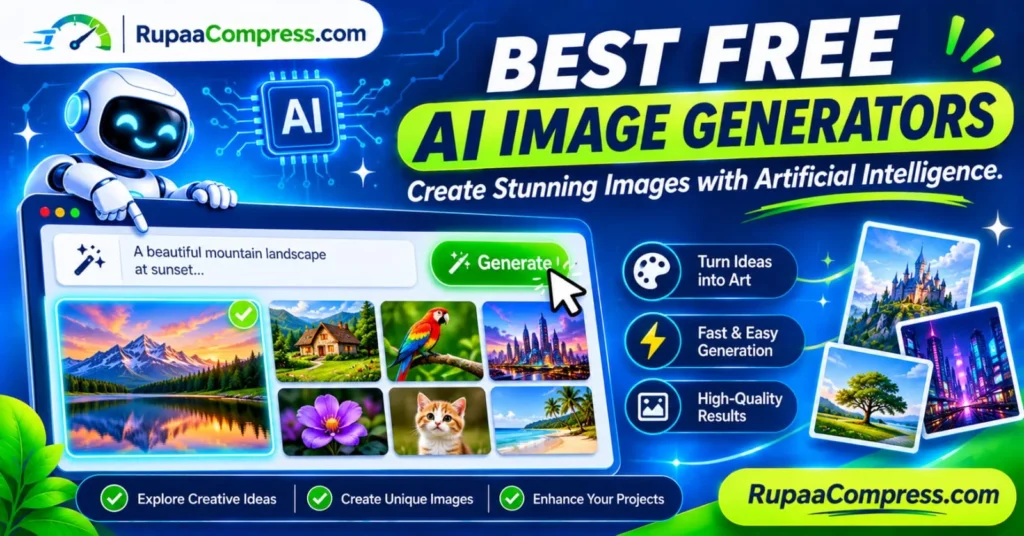
For example, imagine entering this prompt:
“A beautiful mountain landscape at sunset, a calm lake reflecting orange and pink clouds, cinematic photography, realistic natural lighting, wide composition.”
The AI system analyses the words and generates a visual interpretation of the described scene.
Some platforms also support image-to-image generation, allowing you to upload a reference image and request modifications. Other tools provide editing features such as background replacement, object removal, image expansion, and style transformation.
AI image generators are used for many purposes, including:
- Blog featured images and article illustrations.
- Social media posts and promotional graphics.
- Website banners and landing-page visuals.
- Product concepts and advertising ideas.
- Digital artwork and character designs.
- Educational illustrations and presentations.
- Creative inspiration and visual brainstorming.
How Do AI Image Generators Work?
AI image generators use machine learning models trained to recognise relationships between language and visual information.
Many popular systems use diffusion-based approaches, although not every image generator uses the same architecture.
A simplified text-to-image workflow involves several stages.
1. Understanding the Text Prompt
The system first analyses the words and phrases in your prompt.
It identifies the subject, objects, visual style, colours, environment, lighting, and composition you have described.
For example, the words “snow-covered mountain” communicate a different visual subject from “tropical beach”.
2. Interpreting Visual Information
The model uses patterns learned during training to understand how different visual elements relate to one another.
It may recognise concepts such as human faces, buildings, animals, landscapes, objects, and artistic styles.
3. Generating the Image
Depending on the model, the system generates an image through a process that progressively constructs or transforms visual information.
Diffusion models, for example, commonly start with noisy visual data and gradually refine it into an image that matches the prompt.
4. Producing the Final Result
The completed image is presented for review and download. Some platforms also allow additional instructions to modify the result.
You can request a different background, change the lighting, adjust the composition, or create another version.
The quality of the final result depends on the model, prompt, settings, and available generation resources.
10 Best Free AI Image Generators to Try
The following platforms offer free access or free usage options, although the number of available generations and included features can change.
Some provide browser-based image generation, while others combine AI image creation with design and editing features.
1. Google Gemini
<text>Website: <Link url=”https://gemini.google.com/” title=”Google Gemini”/></text>
Google Gemini is an accessible option for people who want to generate and edit images through a conversational interface.
Instead of learning complicated design software, you can describe the image you want using ordinary language. You can also provide follow-up instructions to refine the result.
Best for:
- Beginners who want a simple workflow.
- Creative image concepts.
- Generating and editing visual content.
- Experimenting with different prompt ideas.
Free access: Image generation is available to eligible free users, subject to usage limits and feature availability.
2. ChatGPT
<text>Website: <Link url=”https://chatgpt.com/” title=”ChatGPT”/></text>
ChatGPT provides image generation through conversational instructions. You can describe an idea, request an image, and refine it through additional messages.
For example, you could ask for a modern website hero illustration and then request changes to the background, colours, objects, or composition.
Best for:
- Turning detailed descriptions into images.
- Beginners who prefer conversational prompts.
- Creating and refining creative concepts.
- Generating images from step-by-step instructions.
Free access: Image generation is available on eligible free accounts with usage limits. Availability and limits can change.
3. Microsoft Designer
<text>Website: <Link url=”https://designer.microsoft.com/” title=”Microsoft Designer”/></text>
Microsoft Designer combines AI-powered image creation with design features for everyday digital content.
It can help users create visual concepts and prepare graphics for social media, presentations, and promotional materials.
Best for:
- Social media graphics.
- Marketing concepts.
- Promotional designs.
- Quick visual content creation.
Free access: Free features are available with a Microsoft account, but generation allowances and feature availability may vary.
4. Adobe Firefly
<text>Website: <Link url=”https://firefly.adobe.com/” title=”Adobe Firefly”/></text>
Adobe Firefly is an AI-powered creative platform designed for image generation and visual editing.
It offers features for creating artwork from text descriptions and modifying existing images. It can be particularly useful for designers who already work with Adobe creative applications.
Adobe also provides information about its approach to training data and commercial use. However, users should still review the applicable terms and conditions for their account and intended project.
Best for:
- Creative design concepts.
- Marketing visuals.
- Image editing and variations.
- Users familiar with Adobe products.
Free access: A limited free allowance is available, with additional usage depending on the selected plan and feature.
5. Ideogram
<text>Website: <Link url=”https://ideogram.ai/” title=”Ideogram”/></text>
Ideogram is particularly useful when your generated image needs to contain readable text.
Many image generators struggle with lettering inside an image. Ideogram is designed to handle text-oriented visual creation, making it useful for posters, promotional graphics, and creative typography.
Best for:
- Posters and advertisements.
- Typography-based designs.
- Social media graphics.
- Creative layouts containing words.
Free access: Eligible free accounts receive limited credits. Check the current plan for available generation options and visibility settings.
6. Leonardo AI
<text>Website: <Link url=”https://leonardo.ai/” title=”Leonardo AI”/></text>
Leonardo AI provides image-generation and creative tools for producing illustrations, concept art, characters, and other digital artwork.
It offers different models and generation settings, giving users more control over the appearance of their results.
Best for:
- Digital illustrations.
- Fantasy artwork.
- Game and character concepts.
- Creative experimentation.
Free access: A limited free usage allowance is available. The number of tokens required depends on the model and generation settings.
7. Canva AI
<text>Website: <Link url=”https://www.canva.com/” title=”Canva”/></text>
Canva combines graphic design tools, templates, and AI-powered features in one platform.
Its AI image-generation capabilities are useful when you want to create an image and immediately include it in a presentation, social media post, poster, or marketing design.
Best for:
- Social media content.
- Blog graphics.
- Presentations.
- Marketing materials.
- Beginners who need an all-in-one design workflow.
Free access: Some AI features are available on the free plan, subject to usage restrictions and feature-specific limits.
8. Meta AI
<text>Website: <Link url=”https://www.meta.ai/” title=”Meta AI”/></text>
Meta AI offers conversational AI features, including image-generation capabilities in supported regions and experiences.
It can be convenient for people who already use Meta’s ecosystem and want to experiment with creative image prompts.
Best for:
- Casual image generation.
- Creative experimentation.
- Social content ideas.
- Users familiar with Meta applications.
Free access: Availability depends on location, account eligibility, and current product features.
9. Krea AI
<text>Website: <Link url=”https://www.krea.ai/” title=”Krea AI”/></text>
Krea provides creative AI tools for image generation and visual enhancement. It is useful for people who want to experiment with different styles and refine visual ideas.
Depending on the available features, users can explore image generation, editing, and enhancement workflows.
Best for:
- Creative visual experiments.
- Design inspiration.
- Image enhancement workflows.
- Exploring different artistic styles.
Free access: Some features have limited free usage. Check the current account allowance before starting a large project.
10. Stable Diffusion
<text>Website: <Link url=”https://stability.ai/” title=”Stability AI”/></text>
Stable Diffusion is a family of image-generation models associated with Stability AI. Depending on the model and licence, it can be used through online platforms or installed locally using compatible software.
A local setup can provide greater control over image generation and reduce dependence on cloud-based generation services.
However, running models locally may require suitable hardware, technical configuration, and sufficient storage.
Best for:
- Advanced users.
- Custom image-generation workflows.
- Experimenting with different models.
- Users interested in local AI generation.
Free access: Some model versions and software options can be used without a subscription, subject to their licences and hardware requirements. Hosted platforms may charge for generation.
Comparison of the Best Free AI Image Generators
| AI generator | Best use | Free access |
|---|---|---|
| Google Gemini | General image creation and editing | Limited |
| ChatGPT | Conversational image generation | Limited |
| Microsoft Designer | Social and promotional graphics | Limited |
| Adobe Firefly | Creative design and editing | Limited |
| Ideogram | Images containing text | Limited |
| Leonardo AI | Illustrations and concept art | Limited |
| Canva AI | Images within designs | Limited |
| Meta AI | Casual creative images | Availability varies |
| Krea AI | Visual experimentation and enhancement | Limited |
| Stable Diffusion | Custom and local generation | Depends on model and setup |
Important: Free access does not necessarily mean unlimited usage. Some services use daily credits, weekly allowances, monthly limits, slower generation queues, or restricted export options. These conditions can change, so check each provider’s official website before choosing a tool.
How to Choose the Right Free AI Image Generator
The best tool depends on what you want to create.
Before selecting a platform, consider the following factors.
1. Image Quality
Look for a generator that produces clear images with suitable details, colours, and composition.
If you are creating website visuals, check whether the output is sufficiently detailed for your intended display dimensions.
2. Free Generation Limits
Some platforms provide a small number of free generations, while others use daily or weekly credits.
If you plan to generate images regularly, compare the free allowances before choosing a service.
3. Ease of Use
Beginners may prefer platforms that allow image generation through simple text prompts.
More advanced users may want access to model selection, aspect ratios, reference images, and additional settings.
4. Image Download Options
Check whether the platform allows you to download generated images in a suitable format and resolution.
Some services may restrict high-resolution downloads or add watermarks to certain free outputs.
5. Commercial Usage Rights
This is especially important for bloggers, website owners, online stores, and marketing professionals.
A free account does not automatically give you unrestricted commercial rights.
Read the platform’s terms to understand:
- Whether commercial use is permitted.
- Whether attribution is required.
- Whether generated images are publicly visible.
- Whether there are restrictions on certain types of projects.
- Whether additional licensing conditions apply.
6. Privacy and Data Handling
Some AI image generators process prompts and uploaded reference images on remote servers.
Before uploading private photographs, unreleased product concepts, or confidential business material, review the provider’s privacy policy and data-retention conditions.
How to Create Better AI Images Using Text Prompts
The quality of your generated image depends partly on how clearly you describe your idea.
A short prompt can work for simple concepts, but detailed instructions often give you more control over the final result.
A useful prompt can include five elements:
- Subject: What should appear in the image?
- Environment: Where is the subject located?
- Style: Should the result look photographic, illustrated, cinematic, or minimalist?
- Lighting: What lighting conditions should be used?
- Composition: How should the subject be positioned?
Example 1: Mountain Landscape
Basic prompt:
A mountain landscape at sunset.
Improved prompt:
A photorealistic mountain landscape at sunset, a calm lake reflecting orange and pink clouds, snow-covered mountain peaks in the background, soft natural lighting, cinematic wide-angle photography, realistic textures, balanced composition.
Example 2: Product Photography
Basic prompt:
A modern perfume bottle.
Improved prompt:
A premium glass perfume bottle placed on a clean white marble surface, soft studio lighting, subtle shadows, elegant minimal background, luxury product photography, realistic glass reflections, professional commercial composition.
Example 3: Blog Featured Image
Basic prompt:
Image compression.
Improved prompt:
A modern technology-themed illustration showing a large photograph transforming into a smaller optimized image, digital compression symbols, clean white background, deep navy and fresh green colour palette, professional SaaS website design, wide landscape composition.
Example 4: Social Media Graphic
Basic prompt:
A social media marketing design.
Improved prompt:
A modern digital marketing illustration with a smartphone displaying social media content, floating creative icons, clean composition, vibrant but balanced colours, professional advertising style, suitable for a social media campaign.
Always review the generated result. Even a detailed prompt may produce incorrect objects, unusual text, or visual details that do not match your original intention.
How to Create and Optimize AI Images for Your Website
Generating an image is only the first step. If you plan to publish AI-generated artwork on a website, you should prepare it for the web.
Large image files can increase page weight and affect loading performance. A high-resolution image may look impressive, but it should still be optimized for its actual display size.
Follow this practical workflow.
Step 1: Choose Your AI Image Generator
Select a platform based on your project.
For example, you might use Gemini or ChatGPT for general creative concepts, Ideogram for text-heavy graphics, or Canva when you want to create a complete social media design.
Step 2: Write a Detailed Prompt
Describe the subject, style, lighting, background, and composition.
If you need a featured image for a blog article, specify a wide landscape layout and leave enough space for the headline.
Step 3: Generate and Review the Image
Generate a few variations if your free allowance permits.
Check the output for incorrect objects, strange details, distorted text, and visual inconsistencies.
Step 4: Resize the Image
Adjust the dimensions according to where the image will appear.
For example, a blog featured image might use a 1200 × 630-pixel layout, while a square social media graphic may require a 1080 × 1080-pixel layout.
These are practical design dimensions, not universal requirements for every platform.
Step 5: Compress the Image
Use an image compressor to reduce unnecessary file size while maintaining acceptable visual quality.
This is especially useful when publishing multiple images in blog posts or product galleries.
You can explore the available image compression utilities at RupaCompress.
Step 6: Convert to a Suitable Format
Choose an image format based on your requirements.
- WebP: A useful modern format for many website images.
- JPEG: Suitable for many photographs.
- PNG: Useful for graphics that need transparency or lossless image storage.
- AVIF: Another modern format that can provide efficient image compression when supported by your workflow.
Step 7: Add Descriptive Alt Text
Write alternative text that describes the image’s subject and purpose.
For example:
“AI-generated mountain landscape showing snow-covered peaks and a lake at sunset.”
Avoid filling alt text with repeated keywords. The description should help people understand the image.
Step 8: Preview Before Publishing
Check the final image on desktop and mobile screens.
Make sure the text is readable, the composition is balanced, and the image dimensions suit your website layout.
Privacy and Copyright Considerations When Using AI Image Generators
AI image generation introduces two important considerations: data privacy and usage rights.
Understand How Your Images Are Processed
Many online AI image generators use cloud-based processing. This means your prompts and uploaded reference images may be transmitted to the provider’s servers.
Before submitting sensitive material, review the provider’s policies.
Consider:
- Whether uploaded reference images are stored.
- How long prompts and files are retained.
- Whether user content can be used to improve services.
- Whether generated images are private or publicly visible.
- Whether account settings provide additional privacy controls.
For confidential work, consider a suitable local generation workflow if you have the required hardware and understand the model’s licence.
Check Commercial Usage Rights
Do not assume that an AI-generated image is automatically free for commercial use.
Different platforms have different rules. Some allow commercial use under particular conditions, while others apply restrictions to free accounts or specific features.
You should also consider copyright and trademark issues relating to prompts, reference images, recognisable characters, brands, and other protected material.
For commercial publishing, read the terms of the specific platform and model you used.
Common Mistakes to Avoid When Generating AI Images
Writing prompts that are too short: A vague prompt may produce an image that does not match your intended design.
Ignoring image dimensions: Always consider the final placement before generating or resizing an image.
Using the first result: Review variations and check whether the image contains unwanted details.
Ignoring licensing: Free access does not automatically mean unrestricted commercial usage.
Uploading confidential reference images: Understand how the platform handles submitted files.
Using oversized images on websites: Resize and compress images to suit their display dimensions.
Treating AI-generated images as authentic photographs: Clearly identify synthetic or illustrative content when the distinction matters to your audience.
Frequently Asked Questions
What are the best free AI image generators?
Popular options include Google Gemini, ChatGPT, Microsoft Designer, Adobe Firefly, Ideogram, Leonardo AI, Canva AI, Meta AI, Krea, and Stable Diffusion. The best option depends on the image style, free usage allowance, and features you need.
Can I generate AI images for free?
Yes. Several platforms offer free image generation with restrictions. These may include daily credits, weekly limits, monthly allowances, or reduced features.
Which AI image generator is best for beginners?
Conversational tools such as Google Gemini and ChatGPT are useful starting points because you can describe your idea using ordinary language and refine the result through additional instructions.
Which AI image generator is best for text inside images?
Ideogram is a useful option for posters, advertisements, and graphics that require readable text. However, always check the spelling and layout before publishing.
Can I use AI-generated images on my website?
In many cases, yes, but you should check the specific platform’s terms and applicable copyright restrictions. Also consider whether the image needs to be disclosed as AI-generated.
Can I use AI-generated images commercially?
Commercial usage depends on the provider’s terms, your account type, the model’s licence, and any third-party rights involved. Review the applicable conditions before using images in advertisements, product listings, or paid client work.
Are free AI image generators safe?
Some are established services, but safety and privacy depend on how each provider handles prompts, uploaded files, and generated content. Avoid submitting confidential material to services without reviewing their policies.
Do AI-generated images need compression?
Often, yes. Generated images can have large pixel dimensions and file sizes. Compressing and resizing them appropriately can make them more suitable for website publishing.
Can RupaCompress generate AI images?
RupaCompress provides image optimization utilities such as compression, resizing, and conversion. These are different from text-to-image AI generation. Check the current website features before assuming an AI image generator is available.
Conclusion
Free AI image generators have made digital creativity more accessible than ever. Whether you are creating blog illustrations, product concepts, social media graphics, or imaginative digital artwork, these platforms can help turn written ideas into visual content.
Google Gemini and ChatGPT offer accessible conversational workflows, Ideogram is useful for text-based graphics, Adobe Firefly provides creative tools, and Leonardo AI offers additional options for illustrations and concept art. Canva can also be useful when you want to create complete designs around generated images.
However, choosing the right tool involves more than image quality. Consider free usage limits, privacy, download options, and commercial licensing before using generated artwork in public or business projects.
Once your image is ready, remember to prepare it for its intended purpose. Resize it, compress it, choose a suitable format, and add descriptive alt text before publishing.
Visit RupaCompress to explore free image optimization utilities that help you prepare digital artwork for websites, blogs, and everyday creative projects. You can also find more practical image editing and SEO guides on the RupaCompress Blog.