Building a professional website is only the first step toward establishing a successful online presence. Whether you operate a WordPress blog, an e-commerce store, a business website, or an online publishing platform, making your content discoverable by search engines is essential for long-term organic growth.
You may publish valuable articles, create detailed product pages, and regularly update your website, but how can search engines discover all those URLs?
This is where an XML sitemap becomes important.
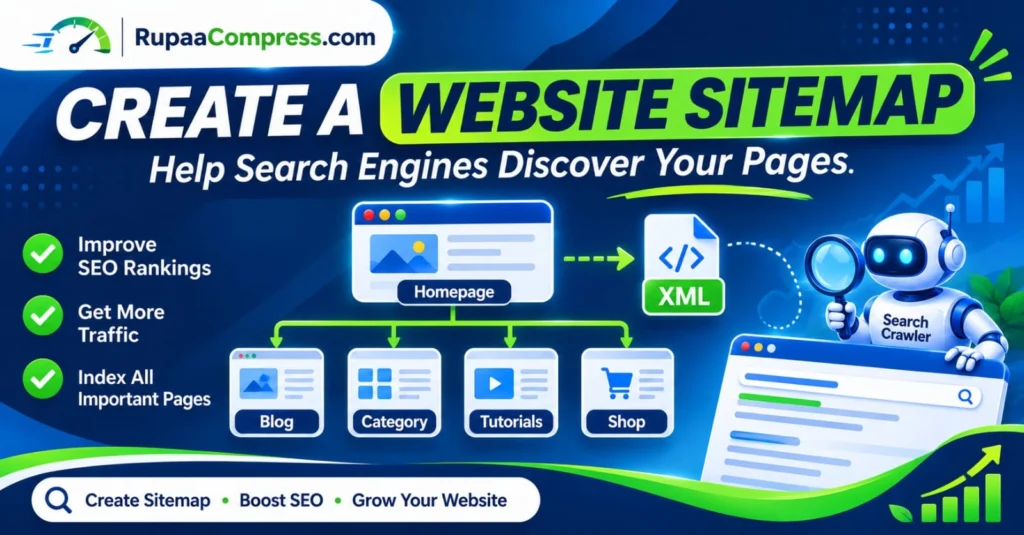
An XML sitemap is a structured file that helps search engines such as Google and Bing discover important pages, understand website URLs, and identify when content has been updated.
For website owners targeting competitive markets such as the United States, United Kingdom, Germany, Canada, and Australia, maintaining a properly configured sitemap is an important part of technical SEO.
Learning how to create an XML sitemap, submit it to Google Search Console, and monitor indexing issues can help search engines discover your website content more efficiently.
In this comprehensive guide, you will learn what an XML sitemap is, why it matters for SEO, how to create a sitemap for WordPress websites, how to submit it to Google, and how to fix common sitemap errors.
You will also discover practical website optimization techniques using free browser-based tools such as RupaaCompress.
What Is an XML Sitemap?
An XML sitemap is a file that lists important URLs on a website in a structured format that search engines can read.
It provides information about website pages and helps search engines discover content that they may not easily find through normal website navigation.
For example, a typical website may contain:
- Homepage
- Blog articles
- Product pages
- Category pages
- Educational tutorials
- Service pages
- Important landing pages
An XML sitemap can help search engines identify these URLs and understand which pages the website owner wants them to discover.
A typical XML sitemap URL looks like this:
https://example.com/sitemap_index.xml
Depending on your website platform and SEO plugin, the sitemap address may instead be sitemap.xml or another supported URL.
An XML sitemap does not guarantee that every submitted page will be crawled or indexed. Google uses many other factors when deciding which pages to crawl and include in search results.
However, providing a sitemap can make discovering important website URLs easier.
Why Is an XML Sitemap Important for SEO?
Search engines use automated crawlers to discover and analyze website content.
Although Google can discover many pages through internal links, websites with large content libraries, complex structures, or limited external links may benefit from having an XML sitemap.
Here are five important benefits of creating a website sitemap.
1. Help Google Discover Your Website Pages
A sitemap provides search engines with a structured list of important URLs.
This is particularly useful when you publish new blog posts, launch product pages, or add new sections to your website.
Instead of relying exclusively on links between existing pages, search engines can also use the sitemap as an additional discovery source.
2. Support Faster Discovery of New Content
Whenever you publish new content, your website’s sitemap may automatically update through your content management system or SEO plugin.
Search engines can then discover the updated sitemap during their crawling process.
For example, if you publish a new article about website image optimization, its URL can be included in your sitemap and made available for discovery.
Keep in mind that sitemap submission does not guarantee immediate crawling or indexing.
3. Improve Website Content Organization
An XML sitemap helps provide a structured overview of the important URLs on your website.
This is useful for websites containing multiple sections, including blogs, online stores, service directories, and educational resources.
A sitemap index can also reference multiple individual sitemap files, making larger websites easier to manage.
4. Help Search Engines Find Deep Website Pages
Some pages are located several clicks away from the homepage.
If these pages have limited internal links, search engines may have more difficulty discovering them.
Including important URLs in a sitemap provides an additional way for search engines to find those pages.
However, you should also create a strong internal linking structure so visitors and search engines can navigate your website naturally.
5. Monitor Search Engine Discovery and Indexing
Submitting a sitemap through Google Search Console allows website owners to monitor whether Google has processed the submitted sitemap and identify potential errors.
You can also use the URL Inspection tool to investigate individual pages.
This makes an XML sitemap useful for ongoing technical SEO monitoring.
Types of Website Sitemaps You Should Know
Not every sitemap serves the same purpose. Understanding the main sitemap formats helps you choose the right structure for your website.
XML Sitemap
An XML sitemap is the most common format used for search engine discovery.
It lists important website URLs and can include information such as the last significant modification date.
It is particularly useful for WordPress blogs, e-commerce stores, business websites, and large publishing platforms.
HTML Sitemap
An HTML sitemap is a webpage created primarily for website visitors.
It displays links to important sections, categories, and pages in an organized format.
Unlike an XML sitemap, an HTML sitemap is designed to help people navigate a website.
Image Sitemap
An image sitemap provides additional information about images associated with website pages.
It can help search engines discover images that may be difficult to find through normal crawling.
Image sitemaps can be useful for photography websites, online stores, and websites containing extensive visual content.
Video Sitemap
A video sitemap provides additional information about video content published on a website.
It can include details such as video titles, descriptions, thumbnails, and other supported video metadata.
This is particularly relevant for video publishers, educational platforms, and websites that rely heavily on video content.
How to Create an XML Sitemap for Your Website
Creating an XML sitemap is relatively simple when you use a modern content management system.
The exact process depends on your website platform and the tools installed.
Step 1: Organize Your Website Structure
Before creating your sitemap, identify the important sections of your website.
For example:
- Homepage
- About page
- Contact page
- Blog articles
- Blog categories
- Product categories
- Individual product pages
- Important service pages
Make sure your important content can also be accessed through normal internal links.
A well-organized website makes it easier for both visitors and search engines to navigate your content.
Step 2: Generate Your XML Sitemap
If you use WordPress, you can generate an XML sitemap through an SEO plugin such as Rank Math or Yoast SEO.
These plugins can automatically create sitemap files and update them when you publish or modify eligible content.
For example, with Rank Math:
- Log in to your WordPress dashboard.
- Open Rank Math SEO.
- Navigate to Sitemap Settings.
- Enable the XML sitemap functionality.
- Configure which content types should appear.
- Save your settings.
- Open the sitemap URL to verify that it works.
Your sitemap may be available at:
https://yourwebsite.com/sitemap_index.xml
The exact URL depends on your configuration.
WordPress also provides a basic built-in XML sitemap at:
https://yourwebsite.com/wp-sitemap.xml
Avoid generating conflicting sitemap systems unnecessarily. Choose one primary sitemap configuration and verify that it contains the correct canonical URLs.
Step 3: Check Which Pages Should Be Included
A good sitemap should contain important, indexable canonical URLs that you want search engines to discover.
Consider including:
- Important website pages.
- Published blog articles.
- Relevant category pages.
- Published product pages.
- Valuable landing pages.
Avoid unnecessarily including:
- Redirected URLs.
- Pages returning errors.
- Duplicate URLs.
- URLs blocked from indexing.
- Administrative pages.
- Unimportant internal search results.
For example, a WordPress website may generate separate sitemaps for pages, posts, categories, and other content types.
Review the generated sitemap to make sure the configuration matches your website’s SEO strategy.
Step 4: Optimize Website Images and Media
Although image compression does not create an XML sitemap, it is another useful part of technical website optimization.
Large images can increase webpage file sizes and affect loading performance.
Before publishing photographs, banners, and product images, consider resizing them and choosing suitable formats such as WebP or optimized JPEG.
You can use RupaaCompress to explore free image compression, resizing, and format conversion tools.
Its supported local browser-processing tools allow files to be processed directly on your device without sending them to a remote image-processing server.
Optimized media can help reduce unnecessary page weight and support a better user experience.
Step 5: Submit Your XML Sitemap to Google Search Console
After generating your sitemap, submit it through Google Search Console.
Follow these steps:
- Open Google Search Console.
- Select your verified website property.
- Navigate to the Sitemaps section.
- Enter your sitemap path.
- Click Submit.
- Check the submission status.
- Review any reported errors.
For example, if your sitemap is located at:
https://yourwebsite.com/sitemap_index.xml
You can enter:
sitemap_index.xml
in the sitemap submission field.
Google can then attempt to fetch and process your sitemap.
Submitting a sitemap is a discovery signal, not a guarantee that every URL will be crawled or indexed.
Step 6: Submit Your Sitemap to Bing Webmaster Tools
Google is not the only search engine worth considering.
Bing Webmaster Tools allows website owners to submit sitemaps and monitor how Bing discovers their website content.
To submit your sitemap:
- Open Bing Webmaster Tools.
- Add and verify your website.
- Navigate to Sitemaps.
- Select the sitemap submission option.
- Enter your complete XML sitemap URL.
- Submit and monitor its status.
This provides another opportunity for search engines to discover your published content.
Step 7: Monitor Sitemap Status and Indexing
After submitting your sitemap, regularly review Google Search Console.
Pay attention to:
- Sitemap processing status.
- Discovered URLs.
- Sitemap fetch errors.
- Indexed and non-indexed pages.
- URL Inspection results.
- Unexpected indexing exclusions.
If a page is not indexed, investigate its individual URL rather than assuming the sitemap is broken.
Check for noindex directives, canonical URL problems, crawl restrictions, duplicate content, and insufficient content quality.
How to Fix Common XML Sitemap Errors
Even correctly configured websites can experience sitemap-related problems.
Here are some common errors and practical ways to investigate them.
Sitemap Could Not Be Read
This can happen when the sitemap URL is incorrect, inaccessible, or returning an unexpected response.
Check that the sitemap opens correctly in your browser and that your website server returns a valid response.
Sitemap Contains URLs Blocked by Robots.txt
If your sitemap contains URLs blocked by robots.txt, search engines may not be able to crawl those pages normally.
Review your robots.txt configuration and make sure important pages are accessible.
Submitted URL Marked Noindex
A URL configured with a noindex directive should generally not be included in your sitemap.
Review the page’s indexing settings and remove URLs from the sitemap that you do not want indexed.
Sitemap Contains Redirected URLs
Your sitemap should generally contain the final canonical URLs rather than redirected addresses.
Update the sitemap configuration to use the correct destination URLs.
Sitemap Not Updating Automatically
If your sitemap does not reflect newly published content, check your SEO plugin settings, caching configuration, and sitemap generation process.
Clear relevant caches and verify that the latest sitemap is being served.
Best Practices for Maintaining XML Sitemap Health
Creating an XML sitemap is not a one-time technical task. It should be included in your regular website maintenance process.
Follow these best practices:
Keep your sitemap updated: Use an automated sitemap generator that updates when eligible content is published or significantly modified.
Include canonical URLs: Make sure the sitemap lists the preferred versions of your pages.
Remove unnecessary URLs: Avoid including duplicate, redirected, broken, or noindex pages.
Use accurate lastmod information: The last modification date should reflect meaningful content updates rather than automatic date changes.
Maintain strong internal links: Do not rely entirely on XML sitemaps to help search engines discover your website.
Monitor Search Console: Check sitemap reports and indexing information regularly.
Optimize website performance: Compress images, use suitable file formats, and improve mobile usability.
Avoid unnecessary sitemap duplication: Use a clear sitemap structure and avoid submitting conflicting versions without a specific reason.
Frequently Asked Questions About XML Sitemaps
1. What is an XML sitemap in SEO?
An XML sitemap is a structured file containing important website URLs. It helps search engines such as Google discover pages and understand when content has been updated.
2. How do I create an XML sitemap for Google?
You can create an XML sitemap using an SEO plugin such as Rank Math or Yoast SEO on WordPress. After generating the sitemap, submit its URL through Google Search Console.
3. Does submitting a sitemap guarantee Google indexing?
No. Submitting a sitemap helps Google discover URLs, but it does not guarantee that every page will be crawled, indexed, or ranked in search results.
4. What is the best XML sitemap plugin for WordPress?
Rank Math and Yoast SEO are popular WordPress SEO plugins that provide XML sitemap functionality. WordPress also includes a built-in sitemap feature.
5. Where can I find my WordPress sitemap URL?
Depending on your configuration, your WordPress sitemap may be available at:
https://yourwebsite.com/sitemap_index.xml
or:
https://yourwebsite.com/wp-sitemap.xml
6. How often should I submit my XML sitemap?
You generally need to submit your sitemap when setting up your website or making significant changes to your sitemap configuration. If your sitemap updates automatically, you do not need to resubmit the unchanged file repeatedly.
7. Can a website have multiple XML sitemaps?
Yes. Larger websites can use multiple individual sitemaps organized through a sitemap index file. For example, a website may have separate sitemaps for blog posts, pages, products, and images.
8. What is the difference between an XML sitemap and an HTML sitemap?
An XML sitemap is primarily designed for search engines, while an HTML sitemap is designed to help website visitors navigate important sections of a website.
9. Does an XML sitemap improve Google rankings?
A sitemap is not a direct ranking factor that guarantees better positions. It can help search engines discover important URLs, but rankings depend on many other factors, including relevance, content quality, website experience, and competition.
10. How can I check whether Google has indexed my website pages?
Use the Google Search Console Pages report and URL Inspection tool to investigate indexing status. You can also perform a basic Google search using the site: operator, although Search Console provides more reliable diagnostic information.
Conclusion: Create a Website Sitemap for Better Search Visibility
Creating and maintaining an XML sitemap is an important part of technical SEO for modern websites.
Whether you manage a WordPress blog, an online store, or a business website, a properly configured sitemap can help search engines discover your important pages and understand your website structure.
By generating an XML sitemap, submitting it to Google Search Console and Bing Webmaster Tools, maintaining accurate canonical URLs, and monitoring indexing issues, you can build a stronger foundation for organic search visibility.
Remember that successful SEO requires more than submitting a sitemap. Combine technical optimization with valuable content, relevant internal links, fast-loading pages, and a positive user experience.
Ready to improve your website’s performance?
Visit RupaaCompress to explore free browser-based tools for image compression, resizing, and format conversion. Prepare lightweight website graphics, improve your media workflow, and build a more efficient website.
For more practical tutorials covering website optimization, image tools, digital privacy, and SEO, explore the RupaaCompress Blog.