In today’s competitive digital landscape, having an attractive website is not enough to achieve long-term online success. Whether you operate a WordPress blog, an e-commerce store, a business website, or an online portfolio, your website needs to deliver a fast, responsive, and stable experience across different devices.
Visitors expect websites to load quickly, respond smoothly when they interact with buttons, and display content without unexpected movements. When these expectations are not met, users may become frustrated and leave before exploring your content or completing a purchase.
This is where Google Core Web Vitals become important.
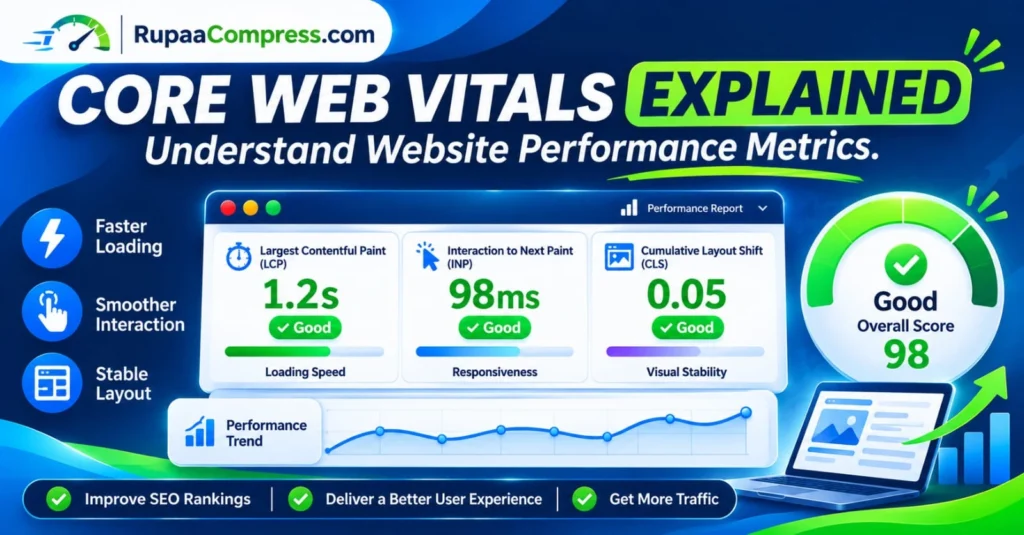
Core Web Vitals are a set of performance metrics developed by Google to measure important aspects of real-world website user experience, including loading performance, responsiveness, and visual stability.
Understanding Core Web Vitals helps website owners identify performance problems, improve page loading experiences, and make informed technical SEO improvements.
For businesses targeting competitive markets such as the United States, United Kingdom, Germany, Canada, and Australia, website performance is an important consideration when building a reliable online presence.
In this comprehensive guide, you will learn what Core Web Vitals are, how LCP, INP, and CLS work, how to measure website performance using Google PageSpeed Insights, and how to improve your scores with practical optimization techniques.
You will also discover how image compression and local browser-based tools such as RupaaCompress can support your website image optimization workflow.
What Are Core Web Vitals?
Core Web Vitals are Google’s standardized metrics for measuring important aspects of the user experience on a website.
They focus on three main areas:
- Loading performance: How quickly the main content becomes visible.
- Interactivity: How quickly a webpage responds to user actions.
- Visual stability: How consistently webpage elements remain in their expected positions.
These three areas are measured using three metrics:
- Largest Contentful Paint (LCP)
- Interaction to Next Paint (INP)
- Cumulative Layout Shift (CLS)
Google uses these metrics as part of its broader page experience and ranking systems. However, achieving good Core Web Vitals scores does not guarantee higher Google rankings. Content relevance, quality, technical accessibility, and many other factors remain important.
Understanding the Three Core Web Vitals Metrics
To improve website performance, it is important to understand what each metric measures and what scores you should aim to achieve.
1. Largest Contentful Paint (LCP): Measure Website Loading Speed
Largest Contentful Paint measures how long it takes for the largest visible content element in the initial viewport to render.
This element is commonly a large image, video poster, or block of text.
For example, when someone visits an e-commerce website, the main product photograph or large hero image may become the LCP element.
If the main content takes too long to appear, visitors may feel that the website is slow.
Google’s LCP performance thresholds:
- Good: 2.5 seconds or less.
- Needs improvement: More than 2.5 seconds and up to 4 seconds.
- Poor: More than 4 seconds.
How to improve LCP:
- Compress large images before uploading.
- Use appropriately sized images.
- Choose efficient formats such as WebP or AVIF where suitable.
- Improve server response times.
- Optimize critical CSS.
- Avoid unnecessary redirects.
- Preload important resources when appropriate.
- Avoid lazy-loading the main above-the-fold image.
For image-heavy websites, optimizing the main hero image and other large visual elements can be particularly helpful.
2. Interaction to Next Paint (INP): Improve Website Responsiveness
Interaction to Next Paint measures how responsive a webpage is when visitors interact with it.
It evaluates the delay between user interactions and the next visual update displayed by the browser.
Examples include:
- Clicking a navigation menu.
- Opening a product filter.
- Selecting an item from a dropdown.
- Submitting a form.
- Adding a product to a shopping cart.
- Interacting with website tools.
If a button takes too long to respond, visitors may think the website is not working correctly.
Google’s INP performance thresholds:
- Good: 200 milliseconds or less.
- Needs improvement: More than 200 milliseconds and up to 500 milliseconds.
- Poor: More than 500 milliseconds.
How to improve INP:
- Reduce unnecessary JavaScript execution.
- Break up long-running JavaScript tasks.
- Remove unused scripts and libraries.
- Optimize third-party scripts.
- Reduce unnecessary DOM complexity.
- Improve event handler efficiency.
- Avoid performing expensive calculations on the main browser thread.
For interactive websites and browser-based image tools, efficient JavaScript execution is especially important.
3. Cumulative Layout Shift (CLS): Improve Visual Stability
Cumulative Layout Shift measures unexpected movement of visible webpage elements during the page’s lifetime.
Imagine opening an article and starting to read a paragraph. Suddenly, an advertisement or image loads above it, pushing the content downward.
This unexpected movement creates a frustrating user experience.
CLS helps website owners measure and reduce these layout changes.
Google’s CLS performance thresholds:
- Good: 0.1 or less.
- Needs improvement: More than 0.1 and up to 0.25.
- Poor: More than 0.25.
How to improve CLS:
- Specify image width and height attributes.
- Reserve space for advertisements.
- Set dimensions for embedded videos.
- Avoid inserting content above existing content unexpectedly.
- Use suitable font-loading strategies.
- Maintain consistent layouts across different screen sizes.
For WordPress websites, reserving space for advertisements and properly sizing featured images can help reduce unexpected layout shifts.
Core Web Vitals Score: Good, Needs Improvement and Poor
Understanding the official performance thresholds makes it easier to identify which parts of your website require attention.
| Metric | Good | Needs improvement | Poor |
|---|---|---|---|
| LCP | ≤ 2.5s | 2.5–4s | > 4s |
| INP | ≤ 200ms | 200–500ms | > 500ms |
| CLS | ≤ 0.1 | 0.1–0.25 | > 0.25 |
Google evaluates these metrics using real-world user experience data, generally at the 75th percentile of page visits.
A page needs to meet the good threshold for all three Core Web Vitals metrics to receive an overall good Core Web Vitals assessment.
Why Are Core Web Vitals Important for SEO?
Website performance affects how visitors experience your content and interact with your business.
Although good Core Web Vitals scores do not guarantee higher search rankings, they are used by Google’s ranking systems as part of its broader page experience evaluation.
Here are several reasons why website owners should pay attention to these metrics.
1. Support Better Google Search Performance
Core Web Vitals are among the signals Google considers when evaluating page experience.
Improving these metrics can contribute to a better overall website experience.
However, performance is only one part of SEO. Relevant content, helpful information, website structure, and search intent remain essential.
2. Improve Visitor Experience
A fast and responsive website makes it easier for visitors to read articles, explore products, and navigate different sections.
Reducing unnecessary loading delays and unexpected layout shifts can make browsing more comfortable.
3. Support E-Commerce Conversions
For online stores, website performance can influence how easily customers browse product pages, select variations, and complete purchases.
Slow product images, unresponsive checkout buttons, and unstable page layouts can create unnecessary friction.
Improving responsiveness and visual stability helps create a more reliable shopping experience.
4. Improve Mobile Website Performance
Many people browse websites using smartphones and mobile networks.
A website that performs well on desktop may still experience performance problems on mobile devices.
Testing both mobile and desktop performance is important when optimizing Core Web Vitals.
5. Build a More Reliable Website
Consistent loading performance, responsive interactions, and stable layouts help establish a more professional digital experience.
This is particularly important for business websites, publishing platforms, and e-commerce stores.
How to Check Core Web Vitals Using Google PageSpeed Insights
Before making website changes, you should measure your current performance.
Google PageSpeed Insights is a free tool that analyzes webpage performance on mobile and desktop devices.
Follow these steps:
Step 1: Open Google PageSpeed Insights
Visit:
Step 2: Enter Your Website URL
Copy the URL of the webpage you want to test and paste it into the PageSpeed Insights search field.
You can test your homepage, blog posts, product pages, and other important URLs separately.
Step 3: Run the Performance Test
Start the analysis and wait for the report.
PageSpeed Insights provides performance information, diagnostic opportunities, and suggestions for improving your website.
Step 4: Review the Core Web Vitals Metrics
Check the available LCP, INP, and CLS information.
Pay attention to whether each metric is classified as Good, Needs Improvement, or Poor.
Step 5: Identify Performance Problems
Review the diagnostic recommendations.
For example, you may discover:
- Images are larger than necessary.
- JavaScript execution takes too long.
- Server response times are slow.
- Unused CSS is affecting rendering.
- Images do not have specified dimensions.
- Third-party scripts delay interactions.
Step 6: Make Improvements and Test Again
Implement the recommended changes and run another performance test.
Compare the results to determine whether your optimization efforts have improved the page.
Remember that PageSpeed Insights includes both simulated laboratory data and real-user field data when available. A single test score is not the same as your website’s actual Core Web Vitals assessment.
7 Practical Ways to Improve Core Web Vitals
Once you understand your performance report, use these techniques to improve the loading speed, responsiveness, and stability of your website.
1. Compress Images Without Sacrificing Quality
Large image files can increase webpage download sizes and delay the appearance of important visual content.
Before uploading images to your website, reduce unnecessary file size while maintaining acceptable visual quality.
For example, a large photograph may be reduced from several megabytes to a smaller WebP file, depending on its original dimensions and compression settings.
You can use RupaaCompress to compress supported images directly in your browser.
This is particularly useful for:
- WordPress blog images.
- E-commerce product photographs.
- Website banners.
- Featured images.
- Marketing graphics.
- Portfolio photography.
Reducing image file sizes can help improve loading performance, especially when large images are part of the initial viewport.
2. Use Modern Image Formats
Traditional image formats such as JPEG and PNG remain useful, but modern formats can offer better compression efficiency for many website images.
Consider using:
WebP: Suitable for many website photographs and graphics. Supports transparency and lossy or lossless compression.
AVIF: Offers efficient image compression and is worth considering where browser support and website delivery systems allow it.
JPEG: Remains useful for photographic images and broad compatibility.
PNG: Useful for graphics requiring transparency or lossless image quality.
Choose the format that provides an appropriate balance between quality, compatibility, and file size.
3. Set Image Width and Height Attributes
Images without reserved dimensions can cause layout shifts when the browser discovers their actual size.
For example, a webpage may initially display text without reserving space for a photograph.
When the image loads, the text moves downward.
To reduce this problem, specify image dimensions in your HTML.
Example:
<img src="website-performance.webp" width="1200" height="630" alt="Website performance optimization">
The browser can use these dimensions to reserve the appropriate space before the image loads.
Responsive CSS can then control how the image scales across devices.
4. Optimize JavaScript and Third-Party Scripts
JavaScript is important for interactive websites, but excessive or inefficient scripts can delay user interactions.
Review your website for unnecessary plugins, unused scripts, and large JavaScript libraries.
Consider:
- Removing unused scripts.
- Deferring non-critical JavaScript.
- Using asynchronous loading where appropriate.
- Reducing unnecessary third-party integrations.
- Splitting long-running tasks into smaller operations.
- Optimizing event listeners.
For websites containing interactive tools, keeping the browser’s main thread responsive is especially important.
5. Improve Server Response Time
Even well-optimized images cannot compensate for a consistently slow server.
Your hosting environment plays an important role in website loading performance.
Consider:
- Using reliable hosting.
- Enabling suitable page caching.
- Optimizing database queries.
- Using a content delivery network where appropriate.
- Enabling modern compression and HTTP protocols.
- Reducing unnecessary server-side processing.
For WordPress websites, review your hosting configuration and caching setup before adding multiple overlapping optimization plugins.
6. Prevent Unexpected Layout Shifts
Reserve space for elements that load after the initial webpage content.
Common examples include:
- Advertisements.
- Embedded videos.
- Images.
- Promotional banners.
- Web fonts.
- Dynamic content sections.
If you use advertising networks, reserve appropriate advertisement space so that ads appearing later do not unexpectedly move the main article content.
This is particularly important for websites that monetize content through display advertising.
7. Test Mobile and Desktop Performance Separately
Do not assume that a website performs equally well on every device.
Mobile devices may have different processing capabilities, network conditions, and screen dimensions.
Run performance tests for both mobile and desktop.
Pay particular attention to:
- Mobile image sizes.
- Navigation responsiveness.
- Font readability.
- Advertisement placement.
- Layout stability.
- JavaScript execution.
- Initial page loading.
Optimizing both experiences helps create a more consistent website for international visitors.
How Image Optimization Helps Core Web Vitals
Images can have a significant influence on website performance, particularly when large photographs or banners appear near the top of a webpage.
For example, consider a blog article with a large featured image.
If the image is unnecessarily large, it may take longer to download and display.
This can affect LCP.
If image dimensions are not specified, the image may also contribute to unexpected layout movements, affecting CLS.
A practical image optimization workflow should include:
- Resize images to suitable display dimensions.
- Compress images before uploading.
- Choose efficient formats such as WebP or AVIF.
- Specify image width and height.
- Avoid lazy-loading important above-the-fold images.
- Use responsive images where appropriate.
- Review loading performance after publishing.
RupaaCompress provides browser-based image compression, resizing, and format conversion utilities that can support this workflow.
Its supported local-processing tools work directly in your browser, allowing supported images to be processed without uploading them to a remote image-processing server.
This can be useful when preparing unpublished marketing graphics, website photographs, and commercial visual assets.
Frequently Asked Questions About Core Web Vitals
1. What are Core Web Vitals in SEO?
Core Web Vitals are Google’s user experience metrics that measure website loading performance, responsiveness, and visual stability. The three main metrics are LCP, INP, and CLS.
2. What is a good Core Web Vitals score?
A website should aim for an LCP of 2.5 seconds or less, an INP of 200 milliseconds or less, and a CLS score of 0.1 or less. These are Google’s recommended good-performance thresholds.
3. How do I check Core Web Vitals for my website?
You can use Google PageSpeed Insights to test individual pages and Google Search Console to review real-world Core Web Vitals information for eligible URL groups.
4. Does Core Web Vitals affect Google rankings?
Yes. Google uses Core Web Vitals in its ranking systems as part of a broader page experience evaluation. However, good scores do not guarantee higher rankings because Google considers many other factors.
5. How can I improve LCP on WordPress?
Start by optimizing the main visible image, improving server response time, reducing render-blocking resources, using efficient image formats, and avoiding unnecessary loading delays.
6. What is the difference between LCP and INP?
LCP measures how quickly the largest visible content element loads, while INP measures how quickly a webpage responds visually to user interactions.
7. How can I reduce CLS on my website?
Specify image and video dimensions, reserve space for advertisements, avoid inserting unexpected content above existing elements, and optimize font loading.
8. Does image compression improve Core Web Vitals?
Image compression can reduce webpage file sizes and help improve loading performance. It may be particularly beneficial for LCP when large images are involved. However, it does not automatically fix every Core Web Vitals problem.
9. Is a 98 PageSpeed score necessary for SEO?
No. Google does not require a specific PageSpeed score such as 98 or 100 to rank a website. Focus on good real-user Core Web Vitals measurements and an overall positive user experience rather than chasing a perfect laboratory score.
10. What is the best tool for testing website speed?
Google PageSpeed Insights is a useful free starting point. Google Search Console, Lighthouse, and Chrome DevTools can also help website owners measure, investigate, and improve website performance.
Conclusion: Improve Website Performance with Core Web Vitals
Understanding Core Web Vitals is an important part of maintaining a fast, responsive, and reliable website.
By learning how Largest Contentful Paint, Interaction to Next Paint, and Cumulative Layout Shift work, website owners can identify performance issues and make informed improvements.
Whether you manage a WordPress blog, an e-commerce store, or a business website targeting the United States, United Kingdom, Germany, and other international markets, improving website performance can help create a better experience for visitors.
Start by measuring your website with Google PageSpeed Insights, identifying the weakest performance metrics, optimizing images, improving JavaScript execution, and preventing unexpected layout shifts.
Remember that successful website optimization is an ongoing process. Monitor real-user performance, test important pages, and make improvements based on actual results.
Ready to optimize your website images?
Visit RupaaCompress to explore free browser-based tools for image compression, resizing, and format conversion. Prepare lightweight website graphics, improve your media workflow, and process supported images locally in your browser.
For more practical tutorials covering image optimization, website performance, technical SEO, and digital privacy, explore the RupaaCompress Blog.