Losing access to your Facebook account can be frustrating, especially when it contains years of photos, conversations, memories, business connections, and personal information. If you notice unfamiliar posts, suspicious login alerts, a changed password, or suddenly find yourself unable to log in, your account may have been compromised.
The good news is that there are official recovery options you can try to regain access to your account. Acting quickly, following the correct recovery process, and securing your associated email address can help reduce the risk of further damage.
In this guide, you’ll learn how to recover a hacked Facebook account, how to reset your password, what to do if your email or phone number has been changed, how to secure your profile after recovery, and how to protect yourself from future attacks.
Whether you’re in the United States, United Kingdom, Canada, Australia, Germany, or elsewhere, these steps can help you work through the recovery process safely.
How to Recover a Hacked Facebook Account
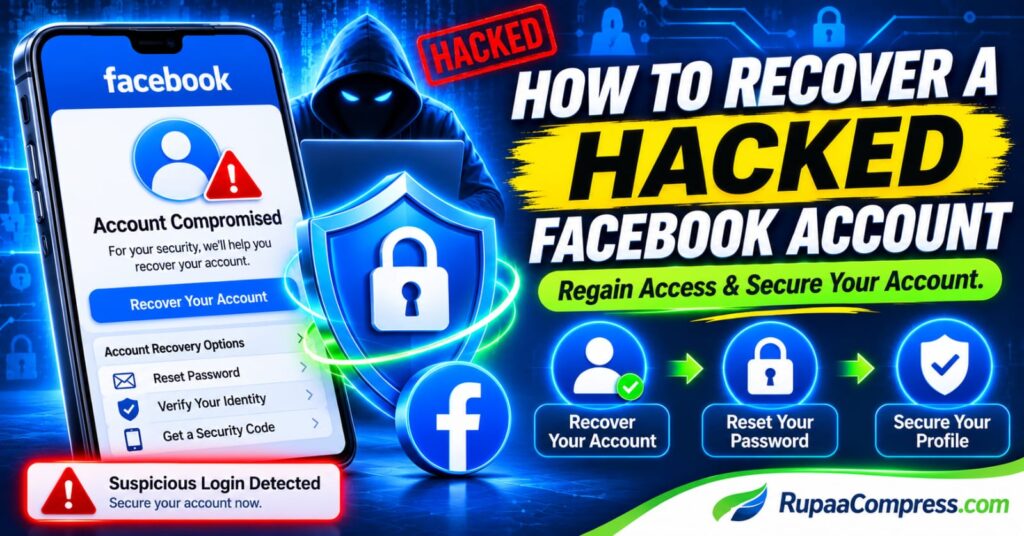
If someone has gained access to your Facebook profile without permission, start with Facebook’s official compromised-account recovery page. Avoid third-party recovery services, suspicious links, or anyone who claims they can unlock your account for a fee.
Step 1: Visit Facebook’s Official Hacked Account Recovery Page
Start by visiting Facebook’s official recovery page:
If possible, use a phone, laptop, or browser that you have previously used to log into Facebook. A familiar device may help Facebook recognise your account and provide relevant recovery options.
Once you open the recovery page, follow the on-screen instructions. You may be asked to identify your account, confirm details, or complete security checks before continuing.
Don’t use recovery links sent by strangers through email, Messenger, WhatsApp, or social media. Enter the official address directly into your browser to reduce the risk of phishing.
Step 2: Find Your Facebook Account
Facebook may ask you to identify the account you want to recover. Depending on the available options, you may be able to search using:
- Your email address
- Your mobile phone number
- Your Facebook username
- Your name associated with the profile
If you find your account, select it and continue with the recovery instructions.
If the hacker changed your contact information, your original email address or phone number may no longer appear. Don’t immediately assume your account is permanently lost. Continue through Facebook’s available account identification and verification options.
Step 3: Reset Your Facebook Password
If you can still access your account’s recovery email address or phone number, Facebook may allow you to receive a recovery code.
Use the code only on Facebook’s official website or app. Never share it with another person, even if they claim to be Facebook support.
After completing the verification process, create a new password that is:
- Unique to Facebook
- At least 12–16 characters long, preferably longer
- Difficult to guess
- Not reused on other websites
- Made up of a combination of words, numbers, or symbols
A password manager can help you create and store a strong password without needing to memorise every character.
Step 4: Verify Your Identity if Requested
In some situations, Facebook may require additional verification to confirm that you are the rightful account owner. This can happen if your password, email address, phone number, or other account details have been changed.
Follow the verification instructions displayed by Facebook. Depending on your situation, the process may include confirming information associated with your profile or submitting identification through an official verification flow.
Only upload identity documents when Facebook requests them through its official website. Avoid sending personal documents to individuals claiming to offer account recovery services.
What to Do if the Hacker Changed Your Email or Phone Number
One of the most stressful situations is discovering that the email address or phone number connected to your Facebook account has been replaced.
If a hacker changes your account contact information, password-reset messages may go to an address or number you don’t recognise. This can make normal password recovery more difficult.
Here’s what you can do.
Check Your Original Email Inbox
Search your original email account for messages from Facebook about changes to your account information.
If Facebook notified you that your email address was changed, the message may contain an option to reverse or secure the change. Carefully review the message and make sure the link leads to an official Facebook domain before using it.
Also, check your spam and junk folders in case important security notifications were filtered.
Use the Account Identification Page
If you can’t access your usual recovery email or mobile number, try Facebook’s account identification page:
Follow the instructions to locate your account and see whether Facebook provides an alternative recovery method.
The options available may vary depending on your account and situation. If you are offered a way to confirm your identity or provide new contact information, follow the official prompts carefully.
Secure Your Email Account First
If the hacker also accessed your email account, recover and secure your email before continuing whenever possible.
Your email account is often the gateway to password resets for Facebook, online banking, shopping accounts, and other services. If an attacker still controls your inbox, they may be able to regain access to your Facebook account after you reset its password.
Change your email password, enable two-factor authentication, review logged-in devices, and remove unfamiliar recovery addresses or phone numbers.
How to Secure Your Facebook Account After Recovery
Recovering access is only the first part of the process. You should also review your Facebook settings to make sure the attacker cannot return.
1. Log Out of Unknown Devices
Review the devices and sessions connected to your Facebook account.
Look for unfamiliar phones, browsers, computers, locations, or login sessions. If you don’t recognise a session, log it out.
If available, use the option to log out of multiple sessions or all sessions, then sign back in using your new password.
2. Turn On Two-Factor Authentication
Two-factor authentication (2FA) adds another layer of protection to your account. When enabled, logging in may require a second verification step in addition to your password.
Depending on the options Facebook provides, you may be able to use:
- An authenticator app
- SMS security codes
- A supported security key
An authenticator app or security key is generally preferable when available because it reduces reliance on text messages.
Two-factor authentication can make it more difficult for someone to access your account, even if they know your password.
3. Enable Login Alerts
Login alerts can help you identify unusual account activity.
Enable notifications for unrecognised logins or security events where these settings are available. If you receive an alert about a login you didn’t initiate, review the activity promptly.
Don’t ignore repeated security notifications. They may indicate that someone is attempting to access your account using an old password or stolen credentials.
4. Review Your Profile and Account Settings
Hackers sometimes change account details after gaining access. Carefully review your profile and security settings, including:
- Email addresses and phone numbers
- Profile name and picture
- Posts, comments, and shared content
- Friends and followers
- Connected apps and websites
- Facebook Pages you manage
- Advertising accounts and payment activity, if applicable
Remove anything you don’t recognise or no longer trust.
If you use Facebook for business, check your Page roles, business access, ad accounts, and connected assets as well. A compromised personal profile could potentially affect the business accounts you manage.
5. Warn Your Friends and Family
If your hacked Facebook account sent suspicious messages, links, or requests for money, notify your contacts using another communication channel.
A short message is enough:
“My Facebook account was recently compromised. If you received unusual messages, links, or money requests from my profile, please ignore them. I’m recovering and securing the account now.”
This can help prevent friends and family from falling victim to scams using your name or profile.
Common Signs That Your Facebook Account Has Been Hacked
Sometimes people don’t realise their accounts have been compromised until a friend tells them about a strange message or post.
Here are some common warning signs to look for:
Unfamiliar posts or comments: Your account may be publishing content you didn’t create, including spam, advertisements, suspicious links, or scam promotions.
Messages you never sent: Friends may receive unusual messages asking for money, personal information, verification codes, or help with suspicious links.
Password no longer works: Your password may have been changed without your permission, preventing you from logging in.
Unexpected account changes: Your email, mobile number, profile name, profile picture, or other settings may have been modified.
Unknown login activity: You may receive notifications about login attempts or sessions from devices you don’t recognise.
Missing access to Pages: If you manage a Facebook Page, you may notice that your administrative access has been removed or changed.
If you notice any of these signs, start the recovery process promptly and secure your associated email account.
How to Avoid Facebook Recovery Scams
When people lose access to their Facebook accounts, they are often desperate to get them back. Unfortunately, scammers take advantage of this situation by advertising fake recovery services.
Be careful of anyone who:
- Promises guaranteed Facebook account recovery
- Requests payment to unlock your profile
- Asks you to send your password or security code
- Claims to have a special connection with Facebook employees
- Requests cryptocurrency or gift cards for recovery
- Contacts you unexpectedly through social media offering to hack your account back
No third-party person should need your password or one-time verification code to help you follow Facebook’s official recovery process.
The safest approach is to use Facebook’s official recovery tools and avoid sharing confidential information with anyone.
Protect Your Privacy When Preparing Security Guides and Images
Account recovery guides often include screenshots, illustrations, annotated images, and step-by-step visual instructions. If you’re a blogger, website owner, or content creator, you may need to crop, resize, convert, or compress images before publishing them.
However, uploading images to unknown online services can create privacy concerns, especially if those images contain personal information, email addresses, account details, security notifications, or private conversations.
Consider using browser-based image tools that process files locally on your device rather than sending them to remote servers. Local processing can help reduce unnecessary exposure of sensitive screenshots and other private visuals.
For example, [RupaaCompress – Insert Your Website URL Here] offers browser-based utilities for compressing, resizing, and converting images for web publishing.
When preparing security-related graphics, remember to:
- Blur email addresses, phone numbers, and usernames.
- Remove security codes and recovery information.
- Avoid displaying personal conversations.
- Crop unnecessary private details from screenshots.
- Compress images to improve page loading speed.
- Use descriptive image filenames and meaningful alt text.
Privacy-conscious image preparation is especially important when publishing tutorials that demonstrate account recovery, security settings, or login processes.
Step-by-Step Workflow for Recovering Your Account and Preparing Images
To keep the recovery process organised, follow this simple workflow.
Step 1: Identify suspicious activity
Check for unfamiliar logins, unexpected messages, password changes, or suspicious posts. If you believe your account has been compromised, begin recovery as soon as possible.
Step 2: Start Facebook’s official recovery process
Visit https://www.facebook.com/hacked and follow the recovery prompts. Use a familiar device whenever possible.
Step 3: Reset your password and verify ownership
Use the recovery options Facebook provides, such as password reset, security codes, or identity verification. Make sure you use official Facebook pages.
Step 4: Secure your email and connected accounts
Change compromised passwords, enable two-factor authentication, and review your email security settings.
Step 5: Review Facebook security settings
Log out unfamiliar sessions, remove suspicious apps, check contact details, enable security alerts, and review account activity.
Step 6: Prepare your blog images safely
When creating screenshots or graphics for your recovery guide, remove sensitive details and optimise the images using a privacy-conscious image tool.
Step 7: Publish and maintain security habits
Use descriptive filenames, appropriate alt text, compressed images, and clear instructions. Continue monitoring your Facebook account for suspicious activity after recovery.
Frequently Asked Questions
Can I recover a hacked Facebook account without my password?
Yes, you may be able to recover your account without knowing your current password. Visit Facebook’s official hacked-account recovery page and follow the available steps to identify your account and verify your ownership.
What if the hacker changed my Facebook email address?
Check your original email inbox for Facebook notifications about changes to your account. You may receive instructions that allow you to reverse an unauthorised email change. You can also use Facebook’s account identification and recovery options to see what alternatives are available.
How long does Facebook account recovery take?
Recovery times vary. Some users may be able to reset their passwords and regain access quickly, while others may need additional identity verification or review. Facebook does not guarantee the same recovery timeline for every case.
Is it possible to recover a hacked Facebook account using my phone number?
If your phone number is still connected to your account and you can receive messages, Facebook may offer it as a verification or password-reset option. Follow the instructions displayed during the official recovery process.
Should I pay someone to recover my hacked Facebook account?
No. Be cautious of third-party recovery services that demand money or promise guaranteed results. Use Facebook’s official recovery tools and never share your password, one-time security codes, or sensitive personal information with strangers.
How can I prevent my Facebook account from being hacked again?
Use a unique password, enable two-factor authentication, secure your email account, turn on login alerts, remove unfamiliar connected apps, and avoid suspicious links or messages. Regularly reviewing your account settings can also help you identify potential problems early.
Are online image compression tools safe to use for security screenshots?
It depends on how the tool processes your files. Some online tools upload images to remote servers, while others process images directly in your browser. Local browser processing can help protect sensitive screenshots from unnecessary uploads, but you should still remove private information before editing or publishing any image.
Conclusion
Knowing how to recover a hacked Facebook account can help you respond confidently when suspicious activity, unauthorised changes, or unexpected login alerts appear. Start with Facebook’s official recovery page, follow the available verification steps, reset your password, and secure your email account.
Once you regain access, take time to log out unfamiliar devices, enable two-factor authentication, review connected apps, check your profile activity, and warn friends about suspicious messages sent from your account.
Online security is not just about recovering access. It is also about preventing the same problem from happening again. By building safer password habits, recognising phishing attempts, protecting your recovery information, and taking care when preparing online content, you can reduce your exposure to common digital threats.
If you’re preparing screenshots, tutorial graphics, or blog images, consider using local browser-based tools such as RupaaCompress to resize, convert, and compress your visuals while keeping your files on your device when local processing is supported.
Stay alert, act quickly when something looks suspicious, and make account security a regular part of your digital routine.