JPG and PNG are the two most common image formats on the internet. They look similar, but they work in completely different ways — and choosing the wrong one can hurt your page speed, your image quality, or both.
Here’s the practical difference and how to pick the right one every time.
JPG (JPEG): small files for photos
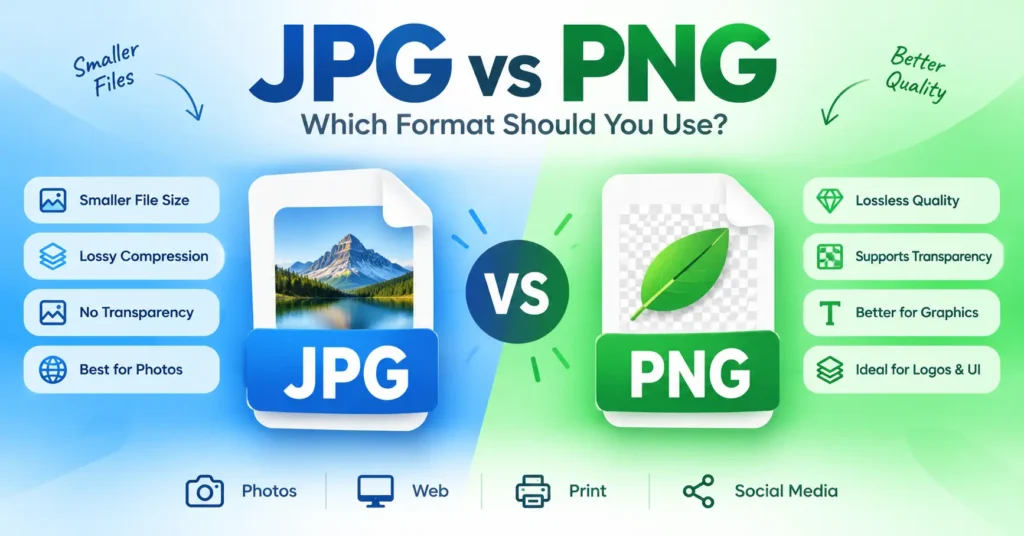
JPG is a lossy format. Every time you save a JPG, it throws away some data to make the file smaller. At quality 75–85, the difference is invisible — but at very low quality, you start to see blocky artifacts.
Use JPG when:
- The image is a photograph with smooth tones and gradients.
- You need the smallest possible file size.
- You don’t need transparency.
- You need the widest possible compatibility (email, Word, older software).
Don’t use JPG for:
- Logos and graphics with sharp edges — JPG blurs them.
- Screenshots of text — JPG adds artifacts around letters.
- Anything that needs a transparent background.
PNG: lossless quality and transparency
PNG is lossless. It preserves every pixel exactly, with no compression artifacts. It also supports transparency, which JPG doesn’t.
Use PNG when:
- You need transparency (logos, icons, cut-out subjects).
- The image has sharp edges, text, or flat colors.
- You want lossless quality and file size doesn’t matter.
- You’re saving screenshots or UI mockups.
Don’t use PNG for:
- Photographs — PNG files are often 5–10× larger than JPG at the same visual quality.
- Any situation where you need small files quickly.
Side-by-side comparison
| Feature | JPG | PNG |
|---|---|---|
| Compression | Lossy | Lossless |
| Transparency | No | Yes |
| File size (photo) | Small | Large |
| File size (graphic) | Medium | Small |
| Best for | Photos | Logos, UI |
| Animation | No | No (use GIF or WebP) |
What about WebP?
WebP combines the best of both: it supports transparency, lossy and lossless modes, and produces smaller files than both JPG and PNG. Modern browsers all support it.
If you’re publishing to the web, WebP is often the best choice. Use our Convert Image tool to turn JPGs and PNGs into WebP.
Quick decision guide
- Photograph, no transparency, web or email: JPG.
- Logo, icon, or graphic with sharp edges: PNG.
- Transparent photo or product cut-out: PNG or WebP.
- Publishing to the modern web: WebP.
- Screenshot of text: PNG (or WebP).
Frequently asked questions
Can I convert JPG to PNG to improve quality?
No. Converting to PNG can’t restore detail that was lost when the JPG was originally created. If you need higher quality, always start from the original file.
Which is better for printing?
JPG at high quality (90–100) or TIFF. PNG works for print too, but the files are huge. Most print shops prefer JPG or TIFF.
Which loads faster on a website?
WebP, then JPG, then PNG. If you want the smallest files without sacrificing quality, WebP is the winner.
Try it now
Use our Convert Image tool to switch between formats for free. Or compress an image to shrink an oversized JPG.