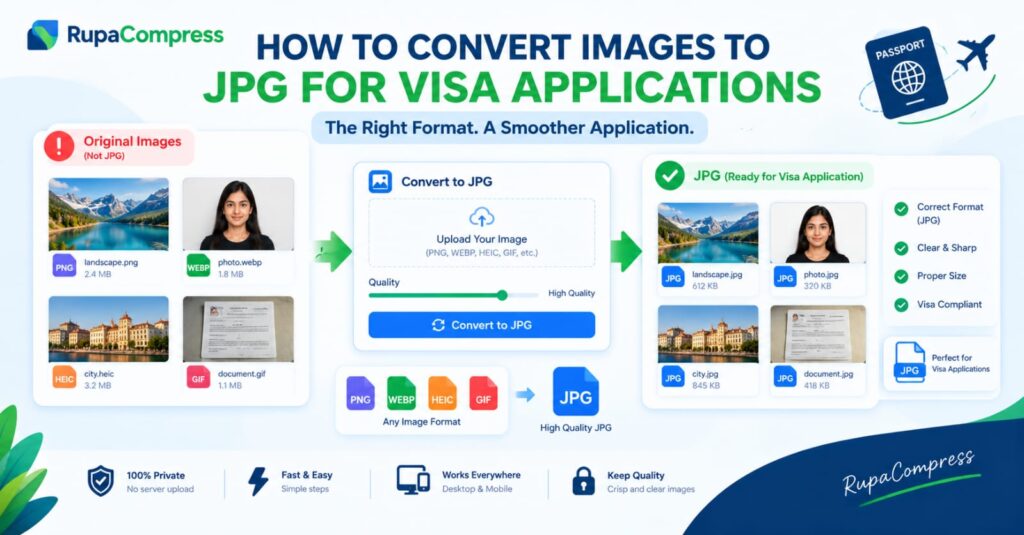
Applying for an international visa involves several important steps, from completing application forms and preparing financial documents to submitting passport details and travel information. While most applicants carefully review their paperwork, an unexpected problem can arise when they try to upload an image to an online application portal. You might have a perfectly clear photograph saved on your iPhone, a scanned document in PNG format, or an image downloaded from another website in WebP format, only to discover that the application system does not accept your file. These errors can be frustrating, particularly when you are close to completing your application and working against a submission deadline. One possible solution is to convert the image into JPG format, which is widely supported by computers, smartphones, web browsers, and many government application systems. However, it is important to understand that not every visa portal requires JPG files. Some systems accept PNG images, while certain document-upload services also allow PDF files. For example, US digital visa photographs must meet specific JPEG, dimension, and file-size requirements, while UK visa photographs must be vertically oriented JPG or JPEG images meeting the published size requirements. The rules depend on the particular application, so converting an image to JPG will not automatically make it acceptable. You must also ensure that its dimensions, file size, image quality, and content meet the official instructions. The good news is that converting an image does not necessarily require expensive software or advanced editing skills. With a suitable browser-based image converter, such as the image utilities available at RupaaCompress, you can prepare compatible image files before uploading them to a visa application portal. In this guide, you will learn why JPG is commonly requested, how to convert different image formats, how to protect sensitive documents, and what to check before submitting your application.
Why Do Visa Application Portals Sometimes Require JPG Files?
Different government departments use different systems to collect and process visa applications. These systems may have been developed at different times, may support different technical standards, and may have specific requirements for photographs and supporting documents. Asking applicants to submit images in a particular format helps the application system validate and process files according to its technical specifications. JPG, also known as JPEG, is one of the most widely supported image formats and is particularly useful for photographs. It supports common colour images and uses lossy compression, which reduces file size by discarding some image information. With an appropriate quality setting, JPEG can produce a clear photograph without requiring as much storage space as an unnecessarily large original image. This makes it a practical format for many online photo uploads. Another reason JPG is commonly used is compatibility. A JPEG photograph can generally be opened on modern computers, smartphones, and web browsers without installing specialised software. This makes the format convenient for applicants who prepare documents using different devices. Some online portals also enforce strict file-size limits, making image compression important alongside format conversion. Nevertheless, it would be incorrect to assume that every government website rejects PNG, WebP, or HEIC files. Requirements depend on the specific application. The UK government, for example, accepts PNG, JPG, and JPEG for certain supporting-document photographs, while some document-upload processes also accept PDF files. Its separate digital visa photograph instructions specify JPG or JPEG and a vertically oriented image. These examples show why checking the exact requirements matters. Another important consideration is that changing a filename extension does not convert the actual image. Renaming photo.png to photo.jpg does not transform the image into JPEG format. The file must be processed by an image converter that genuinely changes its encoding. Before converting anything, identify whether your portal requires a particular file format, whether the image has a maximum file size, and whether its dimensions must fall within specified limits. This simple check can prevent avoidable upload errors and help you prepare your documents correctly the first time.
Understanding JPG, PNG, HEIC, WebP, and GIF Image Formats
Before converting your images, it helps to understand why photographs and graphics are saved in different formats. Each format has its own strengths, and the best choice depends on the type of image and the requirements of the application portal. JPG or JPEG is commonly used for ordinary photographs because it offers a useful balance between visual quality and file size. It is widely supported and is required by several digital visa photo systems. However, JPEG uses lossy compression and does not support transparent backgrounds, so excessive compression can reduce image quality. PNG uses lossless compression and supports transparency, making it useful for screenshots, graphics, diagrams, and images containing sharp edges. A PNG photograph is not automatically too large, and some government systems accept it for supporting documents. If your portal specifically requests JPG, however, you will need to convert the image rather than simply rename it. HEIC, commonly associated with photographs captured on Apple devices, is designed to store images efficiently while retaining substantial visual quality. The format may cause compatibility problems when a website or older application system does not support it. Converting a HEIC photograph to JPEG can make it easier to upload to systems that require JPG or JPEG. WebP is another modern image format that can provide efficient compression for website images. Although widely supported in modern browsers, it is not accepted by every document-upload system. Converting WebP to JPG may therefore be useful when the portal specifically requires JPEG. Finally, GIF is commonly associated with animated images and simple graphics. Converting an animated GIF into a single JPG image will not preserve its animation; the output is a still image. GIF is generally not an appropriate source for a visa portrait unless the relevant requirements and image content make sense for that use. It is also important to distinguish between converting a format and improving a photograph. A converter can change how image data is stored, but it cannot reliably restore missing facial detail, correct a badly blurred image, or guarantee that the photograph meets government requirements. If you are preparing an identity photograph, start with a clear original image, use a permitted conversion method, and avoid filters or enhancements that could change your appearance. A correctly converted file is useful only when the photograph itself satisfies the relevant application rules.
How to Convert an Image to JPG for a Visa Application Using RupaaCompress
Converting an image before uploading it can be straightforward when you follow a clear process. First, locate the original image on your computer, smartphone, or tablet. Check its filename and format so that you understand whether it is a HEIC photograph, a PNG image, a WebP graphic, or another file type. Keep a backup of the original image before making changes. This is particularly important when preparing official documents because you may need the original file again if you select the wrong settings or discover that the application requires a different format. Next, read the official visa application instructions and confirm which formats are accepted. If the system explicitly requests JPG or JPEG, open RupaaCompress and select the appropriate image conversion utility, checking that it supports your original format. Choose the image you need to convert and select JPG as the output format if that option is available. Some conversion tools provide quality settings that allow you to balance image clarity with file size. If your application has a strict upload limit, you may need to adjust the quality settings or resize the image to the required dimensions as well. For example, a photograph measuring several megabytes might become substantially smaller after conversion and compression, but the exact result will depend on the original file, the image dimensions, and the selected settings. Do not assume that converting every file to JPG will automatically reduce its size: the result can vary, and some files may become larger. Once the conversion is complete, download the resulting image and open it to check that it displays correctly. Verify that the format is genuinely JPEG, rather than merely a file with a changed extension. Check its dimensions, file size, orientation, and visual clarity. If the photograph is intended for biometric identification, make sure the conversion has not introduced excessive compression or visible artefacts. For sensitive identity images, privacy is also important. Prefer tools that clearly explain whether files are processed locally in your browser or uploaded to a remote server. Check the processing information for the particular tool before selecting a passport photograph or confidential document. Finally, return to the official application portal, select the converted file, and follow the upload instructions. If the portal displays another error, check its precise message rather than assuming the format is still the problem. The image may have incorrect dimensions, exceed the file-size limit, or fail a separate requirement.
Why File Size, Image Dimensions, and Quality Still Matter
Changing an image to JPG is only one part of preparing a photograph or supporting document for an online visa application. The file must also meet any requirements relating to dimensions, file size, orientation, and visual quality. For example, the United States specifies that a digital visa photograph must be a square image between 600 × 600 and 1200 × 1200 pixels, saved in JPEG format, with a maximum file size of 240 KB. UK Visas and Immigration, by contrast, specifies that its digital visa photograph should be vertically oriented, at least 600 pixels wide and 750 pixels tall, between 50 KB and 6 MB, and saved as a JPG or JPEG file. These are examples of two different official systems and demonstrate why there is no universal set of settings for every visa application. If you use a converter that reduces the file size but leaves the dimensions unchanged, the image might still fail a portal’s requirements. Likewise, resizing a photograph without compressing it may not bring it below a strict file-size limit. You should also avoid excessive compression. A file that is extremely small may have poor facial detail, blurred edges, or visible compression artefacts. For ordinary photographs, JPEG quality settings can help balance size against appearance, but the correct setting depends on the source image and the application’s limits. When preparing supporting documents such as bank statements, letters, or certificates, additional care is necessary. Converting a document scan into JPG may make the text harder to read, especially if it contains small printed details, tables, signatures, or official stamps. If the portal accepts PDF and the instructions recommend it for documents, preserving the document as a readable PDF may be preferable to converting every page into an image. Similarly, a transparent PNG requires a background when converted to JPG because JPEG does not support transparency. For identity photographs, that background must follow the applicable photographic rules. Before submitting any converted file, inspect the final result and confirm that all required information remains readable. Correct formatting should make the application easier to process without compromising the quality or integrity of your documents.
Protecting Your Privacy When Converting Visa Application Images
Visa applications frequently involve sensitive personal information, including facial photographs, passport details, financial documents, employment records, and travel information. Before uploading any of these files to an unfamiliar conversion website, consider how the service handles the images you select. Some online converters upload files to remote servers for processing, while others process images directly within the browser on your device. These approaches offer different levels of exposure, so you should not assume that every tool advertised as an online converter provides local processing. A tool that genuinely processes images locally can reduce the need to transmit your sensitive files to a remote server for conversion. When considering RupaaCompress or any other browser-based utility, check the relevant tool’s processing information and privacy policy before using it with confidential identity documents. Also remember that converting a file locally does not automatically make the entire application process private: when you eventually submit a photograph to a government visa portal, that file will be transferred to the official system as part of your application. The purpose of careful file preparation is to avoid unnecessary exposure to unrelated services while following the official submission process. You should also avoid uploading identity documents to public image-sharing platforms or creating publicly accessible download links for private records. If you use a shared or public computer to prepare your documents, download files only when necessary, avoid saving sensitive material in shared folders, and remove your copies when you have finished if you no longer need them. Keep your original files in a secure location and use clear filenames so that you do not accidentally submit the wrong document. These precautions are especially useful when preparing multiple files for a student visa, work visa, family visit, or long-term residence application. Choosing a converter carefully, checking the output, and following the official submission requirements can help you manage your travel documents more responsibly.
Frequently Asked Questions About Converting Images to JPG
Why was my visa application image rejected even though it looks correct?
A photograph may look clear but still fail because the portal requires a different format, maximum file size, pixel dimensions, aspect ratio, or orientation. Some systems also assess the photograph’s composition and quality. Check the official instructions and the exact error message before trying again.
Can I convert an iPhone HEIC photograph to JPG?
Yes, provided you use a converter that supports HEIC input. Apple’s own software also offers ways to export HEIF images into JPEG format. After converting, check the output file and confirm that it meets the visa portal’s requirements. You can read Apple’s guidance on using HEIF media and converting images.
Does every visa application require JPG format?
No. JPG or JPEG is required by some systems, including the US digital visa photograph process and UK digital visa photo guidance. Other portals may accept PNG or PDF for certain types of supporting evidence. Follow the instructions for your specific application.
Will converting PNG or WebP to JPG reduce the file size?
It may, but this is not guaranteed. The final file size depends on the original image, its content, dimensions, and the conversion quality settings. Check the resulting file size and preserve sufficient visual quality rather than targeting the smallest possible file.
Can I convert a passport photograph without changing my face?
Converting the image format does not require deliberately altering facial features. However, the conversion process may slightly change image pixels because JPEG uses lossy compression. Use an appropriate quality setting, avoid beauty filters or facial retouching, and follow the authority’s rules on image editing.
Is it safe to convert visa photographs online?
Safety depends on the tool and how it processes your files. Tools that genuinely process images locally within your browser can reduce the need to upload photographs to a third-party server. Review the tool’s privacy information and processing behaviour before working with sensitive documents.
Will converting my image to JPG guarantee that my visa photo is accepted?
No. Correct format is only one requirement. Your image must also meet the applicable rules for dimensions, file size, orientation, background, facial positioning, recency, and quality. Even a technically valid photo remains subject to the relevant authority’s review.