In today’s digital world, taking photographs, sharing personal memories and publishing visual content online have become part of everyday life. Social media platforms, websites, messaging applications and online communities make it easier than ever to distribute photographs across the world.
However, the convenience of sharing images also creates important privacy and security challenges.
Personal photographs can be copied, manipulated, published or distributed without permission. Images may also be used for harassment, impersonation, identity misuse, copyright infringement or the creation of harmful AI-generated content.
These activities can cause emotional distress, reputational damage, financial losses and serious privacy concerns for the people affected.
This is why understanding image-based abuse and online privacy is essential for anyone who uses the internet.
Protecting digital images involves more than adjusting privacy settings. It also means understanding consent, respecting copyright, recognising image misuse, knowing how to report harmful content and managing your own photographs responsibly.
In this comprehensive guide, we explore the different forms of image-based abuse, digital image rights, practical online safety measures and ways to protect legitimate visual assets when preparing them for websites and other digital platforms.
You will also learn how image-processing tools such as RupaCompress can help with legitimate image preparation through supported compression, resizing and format-conversion features.
What Is Image-Based Abuse?
Image-based abuse refers to the misuse, distribution or manipulation of photographs and other visual content in ways that violate someone’s privacy, consent or rights.
It can affect individuals, families, photographers, artists, businesses and online content creators.
Some forms of image-based abuse involve intimate or private photographs being shared without consent. Others involve manipulating someone’s appearance, using their likeness to create misleading content or distributing copyrighted images without permission.
Image-based abuse can take several forms.
1. Non-Consensual Sharing of Private Images
One of the most harmful forms of image-based abuse occurs when someone shares an intimate or private photograph without the consent of the person depicted.
This may involve photographs originally shared privately with a partner or trusted individual. It can also involve images obtained through account hacking, deception or unauthorised access.
Once distributed online, these photographs may be copied and reposted across multiple websites and platforms.
The person affected may experience emotional distress, harassment, threats, reputational damage and difficulties removing the material.
Consent to take or privately share a photograph does not automatically mean consent to publish or distribute it publicly.
2. AI-Generated Images and Deepfake Abuse
Artificial intelligence has made it easier to manipulate existing photographs and create realistic-looking synthetic images.
Deepfake technology and AI image-generation tools can be misused to create misleading or harmful representations of real people.
Examples include:
- Manipulated photographs that falsely represent real events.
- Fake images designed to damage someone’s reputation.
- Non-consensual synthetic intimate imagery.
- Impersonation using another person’s face or likeness.
- Misleading images used for harassment, scams or misinformation.
Not every AI-generated image is harmful. These technologies also support legitimate creative, educational and commercial applications.
The problem occurs when they are used to deceive, harass, impersonate or violate another person’s rights and consent.
3. Copyright Infringement and Image Theft
Photographers, designers, artists and businesses invest time and resources in creating original visual content.
However, digital photographs can be copied and republished without permission.
Common examples include:
- Downloading product photographs from an online store and using them in another business.
- Republishing professional photography without an appropriate licence.
- Using copyrighted illustrations in commercial advertising without permission.
- Removing watermarks and presenting another person’s work as original content.
- Copying website images for marketing or promotional campaigns.
Copyright infringement can affect both independent creators and established businesses.
Before using an image commercially, check its copyright status, licence conditions and any required permissions.
4. Doxxing and Exposure of Personal Information
Doxxing involves publishing private or identifying information about someone without their consent, often to intimidate, harass or expose them.
Photographs can contribute to this problem when they reveal identifying information.
For example, an image might contain:
- A visible home address.
- A vehicle registration number.
- A workplace or school name.
- Personal documents.
- A recognisable private location.
- Location information embedded in the original image file.
Even when a photograph does not contain GPS metadata, visible details can sometimes reveal information about the person or location.
Before publishing personal photographs, review both the image itself and the information attached to the file.
Why Online Image Privacy Matters
Images can travel far beyond their original audience.
A photograph shared with a small group may eventually be downloaded, forwarded, copied or published on another platform.
Understanding the risks helps individuals and businesses make more responsible decisions.
1. Protect Your Personal Identity
Photographs often reveal details about people’s lives, relationships, homes, workplaces and daily activities.
When images are shared without appropriate privacy controls, they may be used to impersonate someone, create misleading profiles or support fraudulent activities.
Be careful about publishing photographs that contain identity documents, private correspondence, financial information or other sensitive details.
2. Reduce Harassment and Unwanted Exposure
Unauthorised image sharing can lead to bullying, threats, harassment and unwanted attention.
This is particularly concerning for children, teenagers and people experiencing online abuse.
Parents and guardians should consider the long-term privacy implications before publicly sharing photographs of children.
3. Protect Your Professional Reputation
Online photographs can influence how customers, employers, business partners and colleagues perceive an individual or organisation.
Manipulated images, unauthorised use of professional photographs and misleading visual content can create reputational problems.
Businesses should establish clear policies for publishing employee photographs, customer images and commercial visual assets.
4. Protect Original Creative Work
Digital creators need to understand how their photographs and designs are licensed and distributed.
Although copyright notices and watermarks can communicate ownership, they cannot guarantee that an image will not be copied.
Keeping original files, maintaining creation records and documenting licences can help creators manage their intellectual property.
Understanding Digital Image Rights
Digital image rights are not limited to copyright. They can involve several different legal and ethical considerations.
Understanding the differences helps you use photographs responsibly.
Copyright and Image Ownership
Copyright generally protects original creative works, including photographs, illustrations and certain other visual materials.
In many countries, copyright protection arises automatically when an eligible original work is created, although registration and enforcement rules differ between jurisdictions.
The copyright owner may have rights relating to copying, distribution, publication and adaptation of the work.
For example, if a photographer creates an original product photograph, another business should not automatically assume it can download and use that image in its own advertising.
Permission, a suitable licence or another applicable legal basis may be required.
Consent and the Right to Privacy
Copyright and consent are different concepts.
A photographer may own the copyright in a photograph, but that does not necessarily mean they can publish it in every situation without considering the privacy or other rights of the person depicted.
Similarly, a person appearing in a photograph does not automatically own the copyright in that photograph.
The legal position depends on the country, circumstances, purpose of publication and applicable laws.
Image Licensing and Commercial Use
Before using a photograph for a website, online store, advertisement or social media campaign, check its licence.
Important questions include:
- Is commercial use permitted?
- Is attribution required?
- Can the image be modified?
- Can the image be redistributed?
- Does the licence include restrictions?
- Is additional permission needed from a person appearing in the photograph?
Do not assume that an image is free to use simply because it is publicly available online.
AI-Generated Images and Digital Rights
AI-generated imagery introduces additional questions about consent, likeness, copyright and intellectual property.
The legal treatment of AI-generated content differs between countries and continues to develop.
If you use AI tools to create or modify images, review the provider’s terms and consider whether the content uses identifiable people, protected characters, trademarks or copyrighted material.
Never use AI tools to create or distribute harmful intimate imagery or misleading content involving real people without appropriate consent.
The Four Core Principles of Digital Image Safety
Protecting photographs and respecting the rights of others requires a combination of personal responsibility and practical security habits.
1. Protect Your Privacy
Think carefully about which photographs you publish and who can access them.
Use appropriate account privacy settings, review location-sharing permissions and avoid exposing sensitive information in photographs.
You should also review the metadata attached to original image files before public distribution.
2. Respect Digital Rights
Only use photographs and visual assets when you have the necessary rights or permission.
Respect the privacy and consent of people appearing in images.
If you are a content creator or business owner, maintain records of image licences, permissions and original work.
3. Report Misuse and Abuse
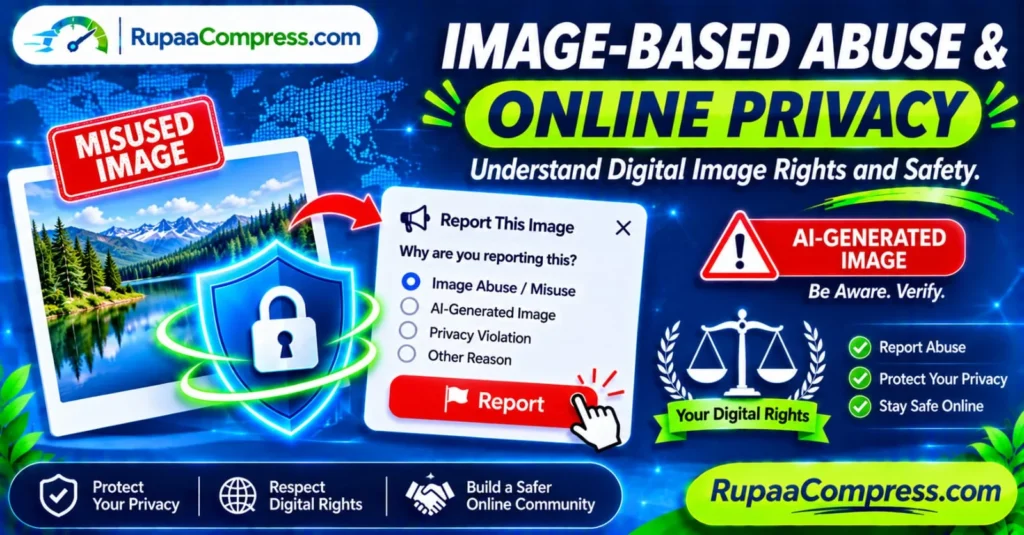
If someone publishes a private photograph without consent, creates harmful manipulated imagery or uses your copyrighted work without permission, consider reporting the content through the relevant platform.
Depending on the circumstances, you may also need help from a legal professional, local authorities or a specialist support organisation.
4. Build a Safer Online Community
Responsible image sharing is a shared responsibility.
Before forwarding a photograph, ask whether the person depicted has agreed to its distribution.
Avoid spreading humiliating, misleading or intimate images.
Do not encourage harassment or share private content simply because it is already circulating online.
How to Report Image-Based Abuse and Misused Photographs
If you discover that someone has published or manipulated your photograph without permission, taking organised steps can help you respond.
The correct reporting process depends on the platform, type of image and applicable law.
Step 1: Identify Where the Image Appears
Record the website, social media platform, account name or online community where the image was published.
If the same photograph appears in multiple locations, document each location separately.
Step 2: Preserve Relevant Evidence
Before submitting a report, consider preserving relevant evidence.
Depending on the situation, this may include:
- The page URL.
- The account or profile name.
- The date and time you discovered the content.
- Screenshots showing the publication.
- Relevant messages or threats.
- Original photographs or documentation showing ownership.
Avoid downloading or redistributing intimate images unnecessarily. If the content involves a child or illegal material, do not forward or reproduce it. Follow the relevant reporting instructions and seek specialist support.
Step 3: Use the Platform’s Reporting System
Most major social media platforms and online services provide reporting procedures for different types of violations.
Look for categories such as:
- Non-consensual intimate imagery.
- Privacy violation.
- Harassment or bullying.
- Impersonation.
- Copyright infringement.
- Misleading or manipulated content.
Choose the category that most accurately describes the problem.
Provide the requested information and follow the platform’s instructions.
Step 4: Request Copyright Removal When Appropriate
If your original photograph or artwork has been copied without permission, you may be able to submit a copyright complaint.
The process differs between platforms and countries.
For example, eligible copyright complaints involving websites or online platforms may be submitted through formal procedures such as the US Digital Millennium Copyright Act (DMCA) process.
However, a copyright complaint is not the correct procedure for every privacy violation. Non-consensual intimate imagery, harassment and impersonation may require separate reporting routes.
Step 5: Seek Additional Help if Necessary
Some cases involve threats, extortion, stalking, intimate image abuse or the exploitation of minors.
In these situations, platform reporting alone may not be sufficient.
Consider contacting local law enforcement, a qualified legal professional or a specialist victim-support organisation.
If someone is threatening to publish intimate photographs unless you pay money or provide something, avoid sending additional images or payments without seeking appropriate assistance.
Online Image Safety: What Users in Different Countries Should Know
Digital image rights and privacy protections vary between jurisdictions. If you live in or publish content for an international audience, it is useful to understand the general legal environment.
United States
The United States has federal and state laws that may apply to privacy violations, harassment, intimate image abuse and copyright infringement.
Copyright complaints may be handled through procedures such as the DMCA when applicable.
State laws can also address certain forms of non-consensual intimate imagery and other harmful conduct.
For serious cases, check the relevant state and federal reporting resources or obtain legal advice.
United Kingdom
The UK has laws addressing privacy, harassment, intimate image abuse and other forms of online misconduct.
Depending on the circumstances, sharing intimate images without consent may be a criminal offence.
People affected by image-based abuse can use platform reporting systems and seek guidance from appropriate UK support organisations or authorities.
Germany
Germany provides legal protections relating to privacy, personal rights, copyright and the unauthorised distribution of certain images.
The right to one’s own image is an important consideration when publishing photographs of identifiable individuals.
Privacy and data protection rules may also be relevant depending on how images are collected, stored and processed.
Sweden
Sweden has legal protections covering personal privacy, copyright and certain forms of unlawful image distribution.
The legal treatment of a photograph depends on the circumstances, including the type of content, how it was obtained and how it was shared.
People affected by serious image misuse should consult the appropriate Swedish authorities or qualified legal support.
Important: This section provides general educational information, not legal advice. Laws and reporting procedures change, and the correct approach depends on the facts of each case.
Are Online Image Editing Tools Safe for Personal Photographs?
When preparing photographs for websites, online stores and social media, users often rely on online image-processing services.
These tools can be convenient, but their privacy practices are not always the same.
Some services upload photographs to remote servers for processing. Others perform certain operations directly inside the user’s browser.
Before using an image editor with personal or commercially sensitive files, consider the following:
- Does the tool upload original photographs to a server?
- Does it store files after processing?
- Does it use third-party processing services?
- Does its privacy policy explain how files are handled?
- Can you process the image locally in your browser?
- Does the tool explain what happens to the processed output?
A browser-based interface does not automatically mean that the image is processed locally.
If a service genuinely performs an operation entirely on your device, it can reduce the need to transmit the original photograph to a remote processing service.
For confidential images, verify the actual processing method before using the service.
How Local Browser-Based Image Processing Can Help
Modern browsers support technologies such as JavaScript, the File API and HTML Canvas.
These technologies allow developers to build image utilities that perform supported operations directly inside the browser.
Depending on how a tool is implemented, local processing can be used for:
- Image compression.
- Image resizing.
- Image cropping.
- Format conversion.
- Other supported image adjustments.
For example, a browser-based image compressor can reduce the file size of a photograph before it is uploaded to a website.
A resizing tool can prepare product photographs for an online store, while a cropping tool can help create consistent images for social media.
However, local image processing is not a complete digital security solution.
It does not prevent someone from taking screenshots, copying published photographs, accessing compromised accounts or creating manipulated images.
It is one useful part of a wider privacy-conscious workflow.
Step-by-Step Guide: How to Protect Your Digital Images
Whether you are a photographer, online seller, blogger or everyday internet user, these steps can help you manage your legitimate visual assets more responsibly.
Step 1: Organise and Back Up Original Images
Store your original photographs and creative files in organised folders.
Maintain backups in a secure location and restrict access to sensitive material.
For business photography, keep original product images, licences and permission records separate from files prepared for public publishing.
Step 2: Review Image Ownership and Permissions
Before publishing a photograph, confirm that you have the necessary rights.
If another person appears in the image, consider whether their consent is required for the intended use.
For commercial campaigns, customer testimonials, employee photographs and promotional content, follow an appropriate permission process.
Step 3: Check for Sensitive Visual Information
Review the photograph for visible personal details.
Look for:
- Home addresses.
- Identification documents.
- Vehicle registration plates.
- Computer screens.
- Private messages.
- School or workplace details.
- Recognisable private locations.
Crop, blur or otherwise edit sensitive areas when appropriate.
Remember that editing visible content is different from removing metadata.
Step 4: Review and Remove Unnecessary Metadata
Check whether the original file contains GPS coordinates, camera information or timestamps that you do not need to distribute.
If necessary, use a suitable metadata removal tool.
Verify the processed image afterwards, particularly when dealing with confidential photographs.
Step 5: Compress and Resize Your Legitimate Images
Before uploading images to your website or online store, prepare them for their intended display size.
Large image files can increase page-loading times and consume unnecessary storage or bandwidth.
You can explore the available RupaCompress image utilities for supported compression, resizing and image-format conversion operations.
Use appropriate output settings to balance visual quality and file size.
Step 6: Choose a Suitable Image Format
Different image formats serve different purposes.
- JPEG: Commonly used for photographs and detailed images.
- PNG: Useful for graphics requiring lossless compression or transparency.
- WebP: Supports lossy and lossless compression and transparency, making it useful for many website images.
Choose the format based on image content, transparency requirements and compatibility with your publishing platform.
Step 7: Publish Responsibly
When uploading photographs to a website, add descriptive alternative text where appropriate.
Use meaningful filenames, relevant image dimensions and suitable compression settings.
For photographs involving other people, respect their privacy and any applicable consent requirements.
Step 8: Review Your Online Presence
Periodically review public profiles, website content and published photographs.
If you discover unauthorised use, record the relevant details and follow the appropriate reporting process.
Taking action early may help limit further distribution.
Pro Tips for Maintaining Long-Term Digital Image Safety
Building better online privacy habits does not require complicated software.
Small changes to your daily digital activities can make a difference.
Use strong account security: Protect the accounts that store your photographs with unique passwords and two-factor authentication where available.
Review sharing permissions: Check who can view, download or redistribute your photographs.
Think before publishing: Consider whether a photograph reveals personal, financial or location information.
Keep original files: Maintain backups and records of your original creative work.
Respect other people’s photographs: Ask for permission when required and avoid sharing private images without consent.
Use trusted image-processing services: Check the privacy policy and actual file-processing method before using online tools.
Stay informed: Follow changes to online privacy, copyright and digital image rights in your country.
Frequently Asked Questions (FAQs)
What is image-based abuse?
Image-based abuse involves the unauthorised sharing, distribution or manipulation of photographs and other visual content in ways that violate someone’s privacy, consent or rights. It can include non-consensual intimate imagery, harmful deepfakes, harassment and certain forms of image misuse.
Is sharing someone’s photograph without permission illegal?
It depends on the photograph, circumstances, intended use and applicable laws. Sharing an ordinary photograph is not automatically illegal in every situation, but certain uses may violate privacy, copyright, data protection or other legal rights.
What should I do if someone shares my private photographs online?
Record the relevant URLs and account information, preserve appropriate evidence, report the content through the platform’s official process and seek additional help if the situation involves threats, intimate images, stalking or other serious abuse.
How can I report an AI-generated deepfake?
Use the platform’s reporting system and select the most relevant option, such as impersonation, harassment, privacy violation or non-consensual intimate imagery. Preserve relevant evidence and contact appropriate authorities or specialist support services when necessary.
Can someone steal my photographs from my website?
Publicly accessible photographs can be downloaded, copied or reproduced. Watermarks and copyright notices may discourage misuse, but they cannot guarantee protection. Keep original files, document ownership and use appropriate reporting procedures when infringement occurs.
Does image compression protect photographs from theft?
No. Image compression reduces file size but does not prevent copying, downloading or unauthorised distribution. Copyright, access controls, platform settings and monitoring are separate parts of image protection.
Are browser-based image tools safe for confidential photographs?
It depends on the specific tool. Some process images locally inside the browser, while others transmit files to remote servers. Check the privacy policy and technical implementation before using confidential or commercially sensitive images.
Does removing EXIF metadata prevent image-based abuse?
No. Removing EXIF metadata can reduce the personal information attached to an image file, such as GPS coordinates or camera details, when those fields are successfully removed. It does not prevent screenshots, copying, manipulation or unauthorised publication.
How can businesses protect their product photographs?
Businesses can maintain original files, document image licences, establish publishing permissions, review visible sensitive information, use appropriate access controls and monitor public websites for unauthorised image use.
What is the difference between copyright infringement and image-based abuse?
Copyright infringement generally concerns the unauthorised use of protected creative work. Image-based abuse is a broader term that can include violations of privacy, consent and personal rights. The two can overlap, but they are not identical.
Conclusion: Build a Safer Digital Image-Sharing Environment
Images are an important part of modern communication, marketing, education and everyday life. However, the ability to publish and distribute photographs so easily also creates responsibilities.
Image-based abuse, unauthorised image sharing, deepfake manipulation and copyright infringement can affect individuals and businesses in different ways.
Protecting your digital presence requires understanding consent, respecting image ownership, securing personal accounts, reviewing photographs before publication and reporting harmful content through appropriate channels.
For website owners, photographers and online businesses, responsible image management also includes preparing legitimate visual assets using suitable compression, resizing and format-conversion tools.
Explore the available image utilities at RupaCompress to prepare images for websites and digital publishing. You can also visit the RupaCompress Blog for more practical guides about image privacy, optimisation and responsible digital image management.
Respect digital rights. Protect personal privacy. Share images responsibly.