The internet has made it easier than ever to share photographs, communicate with others, publish content, and manage personal information online. Social media platforms, messaging applications, websites, and cloud services have become essential parts of everyday life.
However, increased digital connectivity also creates new privacy challenges. Personal photographs may be shared without permission, private information may be exposed through data breaches, and online accounts can be misused to impersonate individuals or distribute confidential content.
Experiencing an online privacy violation can be stressful, particularly when personal photographs, private conversations, or sensitive information are shared beyond your control.
Knowing how to report online privacy violations is an important step toward protecting your personal information, requesting the removal of harmful content, and finding appropriate help and support.
Whether you are dealing with unauthorized photo sharing, identity misuse, online harassment, or an exposure of personal information, taking the right steps can help you respond more effectively.
In this guide, you will learn how to recognize online privacy violations, preserve digital evidence safely, submit reports to relevant platforms, contact appropriate authorities, and improve your online security. You will also discover practical image privacy and optimization resources available through RupaaCompress.
1. Understanding Online Privacy Violations and When to Report Them
An online privacy violation occurs when personal information, photographs, communications, or other private data are accessed, disclosed, collected, or used in ways that may violate someone’s privacy or applicable laws.
Not every unwanted online interaction is necessarily a legal privacy violation. However, certain situations should be taken seriously and may require reporting to a website, service provider, privacy regulator, or law enforcement agency.
Understanding the different types of violations helps you identify the appropriate reporting channel.
Unauthorized Sharing of Private Photographs
One of the most serious forms of image-based privacy abuse involves publishing or distributing someone’s private photographs without their consent.
This may happen through social media accounts, messaging groups, websites, forums, or other online platforms.
Examples include:
- Sharing private photographs without permission.
- Publishing intimate images without consent.
- Creating fake profiles using another person’s photographs.
- Distributing manipulated or misleading personal images.
- Threatening to publish private photographs to intimidate someone.
If someone shares intimate images without your permission, report the content directly to the platform and seek assistance from appropriate support organizations or authorities.
Personal Information Exposure and Data Breaches
Personal information can become exposed when websites, businesses, or online services experience security incidents.
Examples include:
- Email addresses appearing in unauthorized databases.
- Personal contact information being published publicly.
- Unauthorized access to customer information.
- Exposure of account details through compromised services.
- Disclosure of confidential business information.
If you discover that an organization has mishandled your personal information, contact its privacy or security team and consider reporting the matter to the relevant data protection authority.
Identity Theft and Fake Online Accounts
Identity misuse occurs when someone uses another person’s identifying information without authorization.
For example, an individual might create a fake social media profile using another person’s name and photographs.
This can lead to impersonation, fraudulent communications, reputational damage, and other forms of online misconduct.
Report impersonation to the relevant platform and preserve information that helps identify the account.
Copyright Theft and Unauthorized Content Reuse
Photographers, graphic designers, and online businesses may also experience unauthorized use of their original creative work.
Examples include competitors copying product photographs, websites republishing original graphics, or individuals using professional photography without permission.
Depending on the circumstances, these incidents may involve copyright infringement rather than a personal data privacy violation.
Creators can use the relevant platform’s copyright reporting process or seek legal advice about protecting their intellectual property.
2. How to Report Online Privacy Violations and Find the Right Support
Once you identify a possible privacy violation, the next step is to determine where to report it.
The correct reporting channel depends on the type of incident, the platform involved, your location, and whether the situation involves an immediate safety risk.
Step 1: Contact the Website or Social Media Platform
Start by reporting the offending content through the platform where it appeared.
Most major websites and social media services provide reporting options for privacy violations, impersonation, harassment, copyright infringement, and unauthorized image sharing.
Look for options such as:
- Report Post.
- Report Profile.
- Report Privacy Violation.
- Report Impersonation.
- Request Content Removal.
- Contact Support.
Provide a clear description of what happened and identify the specific content or account involved.
Keep a record of your submission and any confirmation or reference number.
Step 2: Report Serious Incidents to Relevant Authorities
Some privacy violations may involve criminal activity, including threats, stalking, identity theft, fraud, blackmail, or non-consensual intimate image sharing.
In these situations, consider contacting your local police or appropriate cybercrime authorities.
The following official resources provide reporting information for several major international markets.
United States (USA)
- FBI Internet Crime Complaint Center (IC3) – Report cyber-enabled crimes, online fraud, and other relevant internet-related incidents.
- Federal Trade Commission (FTC) – Report applicable scams, fraud, and consumer-related problems.
- USAGov Report a Crime – Find the appropriate authority for different types of crime.
For non-consensual intimate images, the FTC also provides TakeItDown.ftc.gov, which allows eligible complaints about platforms that fail to provide required removal processes or meet applicable obligations under the Take It Down Act.
United Kingdom (UK)
- Police.uk – Find police reporting information and guidance.
- Action Fraud – Access fraud and cybercrime reporting information.
- Information Commissioner’s Office (ICO) – Find guidance on personal information and data protection complaints.
For non-consensual intimate image abuse, Police.uk’s reporting guidance explains how to report incidents and find additional support.
Canada
- Royal Canadian Mounted Police (RCMP) – Find official cybercrime reporting guidance.
- Canadian Anti-Fraud Centre – Report relevant fraud and cybercrime incidents.
- Office of the Privacy Commissioner of Canada – Find information about privacy concerns and formal complaints.
For personal information concerns involving an organization, the Privacy Commissioner generally recommends raising the issue with the organization first before submitting a formal complaint.
Germany
- Federal Commissioner for Data Protection and Freedom of Information (BfDI) – Find information about federal data protection matters.
- German Police – Access police information and find the appropriate reporting service.
Germany also has state-level data protection supervisory authorities. The appropriate authority depends on the organization and the nature of the complaint.
Sweden
- Swedish Police Authority – Find official crime reporting information.
- Swedish Authority for Privacy Protection (IMY) – Find information about personal data protection and privacy complaints.
The Swedish Police advise reporting crimes promptly. For non-emergency police matters, call 114 14 within Sweden. For emergencies, call 112.
Important: Reporting procedures and legal rights differ between countries. Use official government websites to confirm the correct reporting process for your particular situation. If you are in immediate danger, contact your local emergency service rather than waiting for an online report.
Step 3: Seek Professional and Emotional Support
Privacy violations can affect more than your online accounts. They can also create emotional distress, financial concerns, and reputational difficulties.
Depending on the incident, consider seeking help from:
- A qualified legal professional.
- A recognized victim-support organization.
- A data protection or privacy specialist.
- A trusted cybersecurity professional.
- A local support service or counselor.
If someone is threatening to publish private photographs or demanding money, avoid negotiating or sending additional personal material. Preserve relevant messages and seek appropriate assistance.
3. How to Collect and Attach Digital Evidence Safely
Digital evidence can help explain what happened when submitting a privacy complaint or contacting law enforcement.
A clear record of the incident can make it easier for the relevant organization to understand your report.
However, collecting evidence should never put your personal safety or privacy at additional risk.
What Evidence Should You Preserve?
Depending on the incident, useful information may include:
- Screenshots of the offending webpage or social media post.
- The original website URL.
- The username or profile associated with the content.
- The date and approximate time of the incident.
- Relevant email notifications.
- Threatening messages or communications.
- Platform reporting confirmation numbers.
- Relevant account security notifications.
Preserve original files where possible and avoid modifying screenshots that may be needed as evidence.
How to Take Useful Screenshots
When documenting a public webpage or social media post:
- Capture the visible content.
- Include the website address or post URL where possible.
- Record the account name or username.
- Note the date and time.
- Save the screenshot in a secure folder.
- Keep a separate record of any reporting reference number.
If the content disappears after reporting, previously preserved evidence may help explain what happened.
Important safety consideration: Never download, copy, forward, or create screenshots of suspected child sexual abuse material. Report the content through the appropriate child-protection or law enforcement channel and follow their instructions.
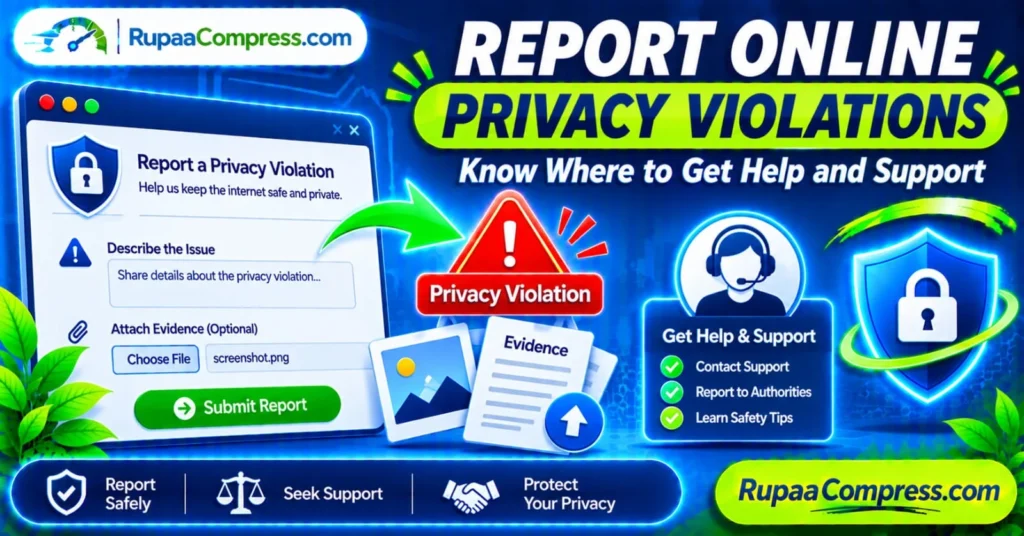
How to Attach Evidence to a Privacy Report
When completing a platform reporting form, you may be asked to provide supporting information.
A useful report should include:
- A short explanation of the incident.
- The URL or location of the offending content.
- The date you discovered it.
- The type of privacy issue.
- Relevant supporting evidence, if requested.
- A safe method for the platform to contact you.
Only provide information necessary for the report.
Avoid attaching unnecessary identity documents, financial information, passwords, or unrelated private photographs.
Keep Your Evidence Secure
Your evidence may contain personal details, private conversations, or sensitive images.
Store it in a location that only authorized people can access.
Consider using encrypted storage or a protected folder, and avoid uploading sensitive evidence to unfamiliar file-sharing websites.
If an authority or platform requests original files, follow its official instructions for secure submission.
4. Protect Your Privacy and Prevent Future Online Violations
Reporting an incident is important, but improving your digital security can help reduce the risk of similar problems happening again.
You can adopt several practical habits to protect your personal information, photographs, and online accounts.
Review Your Social Media Privacy Settings
Check who can view your personal photographs, profile information, contact details, and published posts.
Consider limiting public access to sensitive information and reviewing the permissions granted to connected applications.
Remove accounts or applications that you no longer use.
Remove Unnecessary Image Metadata Before Sharing
Digital photographs may contain additional information such as camera models, timestamps, and GPS coordinates.
Before publishing personal photographs, consider checking whether the image contains location information that you do not want to disclose.
Where appropriate, remove unnecessary EXIF metadata from copies of your photographs.
You can learn more about this process in our guide to understanding image metadata and protecting photo privacy.
Use Strong Passwords and Two-Factor Authentication
Account security is another essential part of online privacy.
Use unique passwords for important accounts and enable two-factor authentication wherever available.
Also consider:
- Reviewing active login sessions.
- Removing unknown connected devices.
- Updating recovery email addresses.
- Enabling account security notifications.
- Avoiding suspicious login links.
These measures can make unauthorized account access more difficult.
Be Careful When Uploading Sensitive Files
Not every online editing or file-conversion website handles uploaded files in the same way.
Before using an online service, review its privacy policy, data retention practices, and file-processing methods.
For routine image editing, browser-based tools that genuinely process files locally can reduce the need to transmit images to external servers.
Optimize Your Own Images Before Publishing
Image optimization is useful for website owners, photographers, and online businesses.
Reducing image dimensions and file sizes can improve website performance and make visual content easier to manage.
RupaaCompress offers browser-based image utilities for tasks such as compression, resizing, and other image-processing workflows.
Explore RupaaCompress when preparing your own legitimate images for online publishing.
Remember that image optimization is different from reporting a privacy violation. Do not use ordinary image editors to process sensitive evidence or confidential documents unless you have verified that the tool is appropriate for that purpose.
Frequently Asked Questions (FAQs)
1. How do I report an online privacy violation?
Start by documenting the incident safely and reporting the offending content through the relevant website or social media platform. If the incident involves criminal activity, threats, identity theft, or serious harassment, contact the appropriate local authorities.
2. Where can I get help if someone shares my private photographs without permission?
You can contact the platform hosting the photographs and request removal through its official reporting process. You may also seek help from local police, recognized victim-support organizations, and services such as StopNCII.org for eligible adults seeking to prevent the circulation of intimate images.
3. What evidence should I attach when reporting privacy violations?
Depending on the incident, useful evidence may include webpage URLs, usernames, screenshots of relevant public content, timestamps, messages, and platform reporting confirmations. Do not collect or distribute suspected child sexual abuse material.
4. Can I report an online privacy violation anonymously?
Some platforms, police services, and reporting organizations accept anonymous reports or tips. However, formal complaints may require identifying information to investigate the issue or communicate with you. Check the requirements of the relevant service.
5. What should I do if a website refuses to remove private content?
Keep a record of your removal request and the platform’s response. If the content violates applicable privacy laws or involves criminal conduct, consider contacting the relevant data protection authority, consumer protection agency, or law enforcement organization.
6. How can I protect my photographs from unauthorized sharing?
Use appropriate privacy settings, avoid publishing sensitive photographs publicly, review image metadata, and consider adding copyright information to original creative work. Remember that watermarks and privacy settings cannot completely prevent copying.
7. Are browser-based image tools safe for private photographs?
It depends on how the individual tool processes files. Some browser-based utilities perform processing locally, while others transmit files to remote servers. Check the tool’s actual processing behaviour and privacy policy before using it.
Conclusion: Know Where to Get Help and Protect Your Online Privacy
Online privacy violations can affect anyone who uses social media, websites, messaging platforms, or digital services.
Whether someone has shared private photographs without permission, misused your identity, exposed personal information, or accessed your online accounts without authorization, taking appropriate action is essential.
Understanding how to report online privacy violations helps you identify the correct support channels, preserve relevant evidence, request content removal, and contact appropriate authorities.
Remember these important steps:
- Identify and document the privacy violation.
- Preserve relevant evidence safely.
- Report the incident to the appropriate platform.
- Contact relevant authorities when necessary.
- Seek professional and emotional support.
- Improve your account and image privacy practices.
Protecting your digital privacy is an ongoing responsibility. Stay informed, use trusted reporting channels, and take practical steps to control the personal information you share online.
For additional guidance on image privacy, metadata, compression, and responsible image management, visit the RupaaCompress Blog.
Report safely. Seek trusted support. Protect your privacy with RupaaCompress.