Social media platforms have become an important part of everyday life. People use Facebook, Instagram, TikTok, LinkedIn, and other networks to communicate with friends, share photographs, promote businesses, build professional relationships, and discover information.
For businesses and content creators, social media accounts can represent years of work. They may contain customer conversations, advertising campaigns, private messages, business contacts, photographs, and valuable audiences.
However, using social media also introduces security risks. Weak passwords, phishing messages, fake login pages, malicious applications, and compromised email accounts can expose personal information or allow criminals to take control of social profiles.
An account takeover can have serious consequences. Someone who gains access to your account may impersonate you, contact your friends, publish fraudulent content, access private information, or attempt to scam your followers.
The good news is that you can reduce many of these risks by following practical security habits.
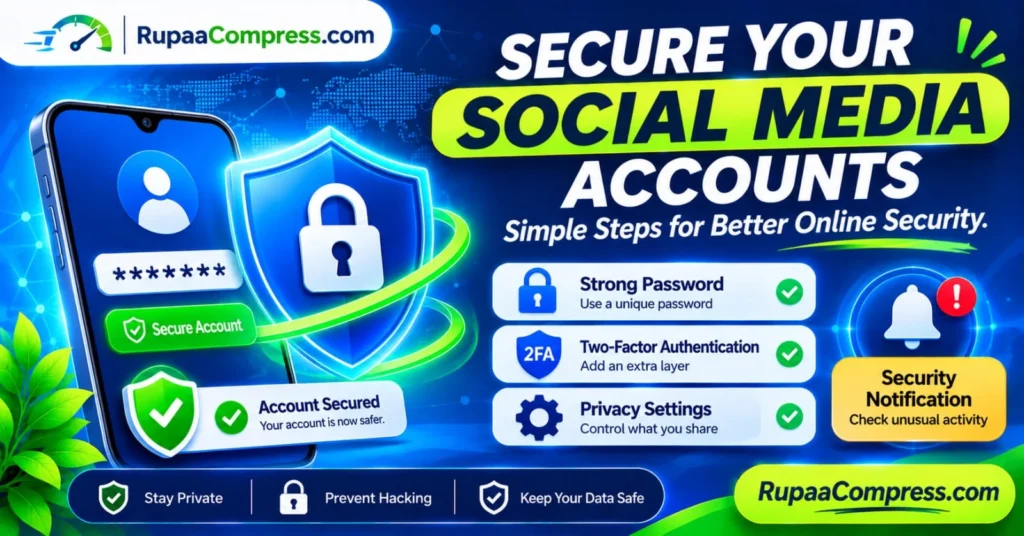
In this guide, you will learn how to secure your social media accounts, create stronger passwords, enable two-factor authentication, review privacy settings, recognise phishing attempts, and protect your personal information online.
Why Is Social Media Account Security Important?
Social media accounts contain more personal information than many people realise.
A public profile might reveal your name, workplace, location, interests, relationships, photographs, and daily activities. Private messages and connected business accounts may contain even more sensitive information.
If someone gains unauthorised access, they may misuse this information.
1. Preventing Account Takeovers
Cybercriminals use different methods to obtain login credentials. These include phishing, password reuse, malicious software, and automated login attempts using previously exposed passwords.
Once an attacker gains access, they may change the account password, modify recovery information, or lock the legitimate owner out.
2. Protecting Personal Information
Social media accounts may contain private photographs, conversations, contact details, and information about family members.
An attacker could use this information for impersonation, harassment, scams, or identity-related fraud.
3. Protecting Business and Creator Accounts
A business page or creator profile may have significant commercial value.
Losing access could interrupt advertising campaigns, customer communication, product promotion, and audience engagement.
For this reason, business accounts should have additional access controls and carefully managed administrator permissions.
4. Preventing Scams Against Friends and Followers
A compromised account can be used to send fraudulent messages to people who trust the account owner.
For example, a hacker might send a message asking friends for money, share a suspicious link, or advertise a fake investment opportunity.
Protecting your account also helps protect the people connected to it.
The Four Foundations of Social Media Security
Strong social media security starts with four important practices.
1. Use Strong and Unique Passwords
A password is one of the first barriers protecting your account.
Using the same password across several websites creates unnecessary risk. If one service suffers a data breach, attackers may try the exposed credentials on other platforms.
Create a different password for every important account.
A strong password should:
- Be long and difficult to guess.
- Avoid personal details such as birthdays or names.
- Avoid common phrases and predictable patterns.
- Be unique to the account.
- Be stored securely rather than written in an easily accessible location.
A reputable password manager can generate and store strong passwords for you.
2. Enable Two-Factor Authentication (2FA)
Two-factor authentication adds another verification step when someone attempts to access your account.
Instead of relying only on a password, the platform may request an additional authentication method.
Common options include:
- Authenticator applications.
- Passkeys.
- Hardware security keys.
- SMS verification codes.
- Other platform-supported verification methods.
Where available, passkeys or phishing-resistant hardware security keys provide stronger protection against many phishing attacks than ordinary SMS codes.
SMS verification is still generally better than using no additional verification, but it can be vulnerable to attacks such as SIM swapping.
3. Review Your Privacy Settings
Privacy settings help control who can view your information and interact with your account.
Depending on the platform, you may be able to control:
- Who sees your posts.
- Who can send friend or follow requests.
- Who can comment on your content.
- Who can tag you in photographs.
- Who can view your profile information.
- Whether your account appears in search results.
- Who can send direct messages.
Review these settings regularly, particularly after a platform introduces new privacy features.
4. Monitor Security Notifications
Security notifications can help you identify unusual account activity.
Enable available alerts for:
- New device logins.
- Password changes.
- Recovery email or phone number changes.
- New administrator access.
- Unusual login attempts.
- Changes to important account settings.
If you receive an alert for an activity you did not perform, investigate it immediately using the platform’s official application or website.
Do not click suspicious links inside unexpected security messages.
15 Practical Steps to Secure Your Social Media Accounts
The following checklist can help you improve the security of your social media profiles.
Step 1: Change Weak or Reused Passwords
Start by reviewing the passwords used for Facebook, Instagram, TikTok, LinkedIn, and other important accounts.
Replace passwords that are short, predictable, or reused on multiple websites.
If you suspect that a password has been exposed, change it immediately and review any other accounts where you used the same credentials.
Step 2: Use a Password Manager
Remembering dozens of unique passwords can be difficult.
A reputable password manager can help generate, store, and organise strong passwords.
Many password managers also provide security features that identify reused or previously exposed passwords.
Protect your password manager with a strong master password and multi-factor authentication where available.
Step 3: Enable Two-Factor Authentication
Open the security settings of each social media platform and look for the two-factor authentication option.
Choose the strongest practical method supported by the service.
An authenticator application, passkey, or hardware security key is generally preferable to SMS when available.
Save recovery codes in a secure location. They may be needed if you lose access to your authentication device.
Step 4: Secure Your Email Account
Your email account is often the recovery point for several online services.
If someone compromises your email account, they may be able to reset passwords for connected social media profiles.
Protect your primary email account with:
- A unique, strong password.
- Two-factor authentication.
- Updated recovery information.
- Login notifications.
- Regular security reviews.
Your email account deserves at least as much protection as your social media accounts.
Step 5: Review Connected Devices and Active Sessions
Many social platforms allow you to view devices and locations associated with recent account activity.
Check the list regularly.
If you notice a device or session you do not recognise, sign it out and change your password if you suspect unauthorised access.
Remember that location estimates may be inaccurate because of mobile networks, VPNs, and internet service providers. Investigate unfamiliar sessions rather than relying on location alone.
Step 6: Remove Unnecessary Third-Party Applications
Some applications request permission to access your social media accounts.
These may include games, scheduling tools, analytics services, and other connected applications.
Review the applications linked to your accounts.
Remove access for services you no longer use or do not recognise.
Only connect applications from providers you trust.
Step 7: Tighten Your Profile Privacy Settings
Review which personal details are publicly visible.
Consider limiting access to:
- Your phone number.
- Your email address.
- Your date of birth.
- Your friend or follower list.
- Personal photographs.
- Your home or workplace details.
Not every detail needs to be publicly available.
Step 8: Be Careful With Friend Requests and Followers
Fake profiles may imitate real people, businesses, or public figures.
Before accepting a suspicious request, examine the profile.
Look for:
- Recently created accounts.
- Unusual usernames.
- Inconsistent profile information.
- Suspicious links.
- Unusual messages.
- Requests for money or personal information.
If someone claims to be a friend but contacts you from an unfamiliar account, verify their identity through another trusted communication channel.
Step 9: Recognise Phishing Messages
Phishing is a common method used to steal login information.
Attackers may send messages claiming that your account will be suspended, your page has violated a policy, or you must verify your identity immediately.
These messages may include links to fake login pages that resemble genuine social media websites.
Warning signs include:
- Urgent threats.
- Unexpected password-reset requests.
- Suspicious attachments.
- Unfamiliar sender addresses.
- Misspelled website domains.
- Requests for authentication codes.
If you receive an unexpected account warning, open the platform directly through its official application or manually enter its known website address.
Step 10: Never Share Verification Codes
Authentication codes are intended for you.
A scammer may pretend to be a platform employee, friend, or customer-support representative and ask you to provide a verification code.
Do not share login codes, recovery codes, or authentication details with anyone.
Legitimate support staff should not need you to disclose your private login verification codes.
Step 11: Review Business Page Permissions
Business accounts require additional attention.
A company page may have several administrators, editors, advertisers, or other authorised users.
Review who has access and remove permissions that are no longer required.
Use individual accounts rather than sharing one password among multiple employees.
Where possible, provide each person with only the permissions needed for their role.
Step 12: Keep Your Devices Updated
Outdated operating systems, browsers, and applications may contain security weaknesses.
Install security updates when available.
Use a screen lock on your phone and computer, and avoid installing applications from unfamiliar sources.
A secure social media account also depends on the security of the device used to access it.
Step 13: Be Careful With Public Wi-Fi
Public Wi-Fi networks can introduce additional security risks, particularly when users connect to unknown or poorly secured networks.
Avoid entering sensitive account information through suspicious login pages or untrusted connections.
Check that you are using the official website or application, and keep your device and browser updated.
Step 14: Monitor Your Account Regularly
Make account security reviews part of your routine.
Look for:
- Posts you did not publish.
- Messages you did not send.
- New followers with suspicious behaviour.
- Unfamiliar login sessions.
- Unexpected profile changes.
- New connected applications.
- Unrecognised administrators.
The earlier you notice suspicious activity, the sooner you can respond.
Step 15: Prepare an Account Recovery Plan
Before an account is compromised, make sure you know how to recover it.
Keep your recovery email and phone number updated.
Save recovery codes securely, and understand the platform’s official account-recovery process.
For important business profiles, maintain a trusted secondary administrator who can help manage access if the primary account owner loses access.
Common Social Media Security Threats You Should Know
Understanding common attack methods makes it easier to recognise suspicious activity.
1. Phishing Attacks
Phishing involves tricking people into revealing passwords, verification codes, or other confidential information.
Messages may appear to come from a trusted platform, bank, business, or friend.
Always verify unexpected requests through official channels.
2. Credential Stuffing
Credential stuffing occurs when attackers use previously exposed username and password combinations to attempt logins on other services.
Password reuse makes this technique more effective.
Unique passwords help reduce this risk.
3. SIM Swapping
In a SIM-swap attack, a criminal attempts to transfer a victim’s phone number to a SIM card or service under their control.
This can allow the attacker to receive SMS-based verification codes.
Where possible, use stronger authentication methods such as passkeys or authenticator applications.
4. Fake Customer Support Accounts
Scammers may create accounts that imitate official support teams.
They may contact users who have commented about account problems and offer to recover their accounts in exchange for passwords, codes, or payment.
Use only official support channels.
5. Malicious Applications
Some applications request excessive permissions or contain harmful software.
Avoid downloading unknown applications and review the permissions granted to installed software.
6. Social Engineering
Social engineering involves manipulating people into taking actions that compromise security.
An attacker might pretend to be a colleague, friend, employer, or platform representative.
Be especially cautious when someone requests urgent payments, confidential information, or login credentials.
What Should You Do If Your Social Media Account Gets Hacked?
If you suspect that someone has gained unauthorised access to your account, act quickly.
Step 1: Use the Official Account Recovery Process
Visit the platform’s official website or application and follow its account-recovery instructions.
Avoid recovery links sent by unknown people.
Step 2: Change Your Password
If you can still access your account, change its password immediately.
Choose a new password that is not used anywhere else.
Step 3: Sign Out of Unrecognised Sessions
Review active sessions and sign out of unfamiliar devices.
Check connected applications and remove access that you do not recognise.
Step 4: Secure Your Email Account
If the social media account uses your email address for recovery, check that email account for suspicious activity.
Change its password and enable stronger authentication if necessary.
Step 5: Review Account Changes
Check whether the attacker changed your email address, phone number, username, profile information, or administrator permissions.
Restore legitimate settings where possible.
Step 6: Warn Your Contacts
If your account was used to send fraudulent messages, notify friends, customers, or followers through another trusted channel.
Ask them not to click suspicious links or respond to unusual requests sent from your compromised profile.
Step 7: Report the Incident
Use the platform’s official reporting or hacked-account process.
If financial fraud, identity theft, or threats are involved, consider contacting the relevant authorities and financial institutions.
Protecting Your Social Media Photos and Personal Information
Account security is not only about passwords and login settings. The photographs and personal information you publish also deserve attention.
Before sharing an image, consider whether it reveals:
- Your home address.
- Your workplace location.
- School or university information.
- Travel plans.
- Identification documents.
- Private information about other people.
- Location information stored in image metadata.
Avoid publicly sharing sensitive photographs or documents unless there is a clear reason.
You can also review the privacy settings of your social accounts to limit who can view or download your content, where those options are available.
Remember that even private posts can be copied, photographed, or redistributed by people who can access them.
Preparing Social Media Images with RupaCompress
Social media account security and image optimization are different areas of digital safety.
Once your account is protected, you may still need to prepare photographs, profile graphics, banners, and promotional images before publishing them.
RupaCompress offers image utilities that can help with everyday image preparation.
Explore the available tools at RupaCompress.
Compress Images Before Uploading
Large image files can increase upload times and use more storage or mobile data.
Image compression helps reduce file size while maintaining suitable visual quality.
Resize Images for Social Media
Different platforms and placements use different image dimensions.
Resizing images to appropriate dimensions can help avoid unnecessary cropping or oversized uploads.
Convert Images to Suitable Formats
You may need to convert images into formats such as JPEG, PNG, or WebP, depending on the platform and purpose.
Choose a format that maintains the visual quality and features you need.
Review Metadata Before Sharing
Some photographs contain metadata such as camera details, capture dates, and GPS information.
When appropriate, remove unnecessary metadata before publicly sharing an image.
However, do not assume that compression or resizing automatically removes all personal information. Check the output file and the specific tool’s behaviour.
Privacy note: Some browser-based image tools perform supported operations locally using technologies such as JavaScript and HTML5 Canvas. Whether an image is uploaded depends on the specific tool’s implementation. Check the relevant tool’s privacy information before processing confidential photographs.
Image optimization does not replace account security measures such as strong passwords, two-factor authentication, and login monitoring.
A Monthly Social Media Security Checklist
Use this simple checklist to review your accounts regularly.
- Check that every important account has a unique password.
- Confirm that two-factor authentication is enabled.
- Review active login sessions and connected devices.
- Check account recovery email addresses and phone numbers.
- Remove unnecessary third-party application access.
- Review profile visibility and privacy settings.
- Check administrator permissions on business pages.
- Review recent security notifications.
- Update your phone, computer, browser, and applications.
- Make sure recovery codes are stored securely.
Frequently Asked Questions
How can I secure my social media accounts against hackers?
Use unique and strong passwords, enable two-factor authentication, secure your email account, review connected devices, remove unnecessary application permissions, and be careful with suspicious links and messages.
Is two-factor authentication enough to protect my account?
No security method provides complete protection on its own. Two-factor authentication significantly improves account security, but you should also use strong passwords, protect your email account, monitor login activity, and avoid phishing attacks.
Is SMS two-factor authentication safe?
SMS verification is generally better than using only a password, but it can be vulnerable to SIM swapping and other attacks. Authenticator applications, passkeys, or hardware security keys may offer stronger protection.
What should I do if someone logs into my account without permission?
Use the platform’s official recovery process, change your password if you still have access, sign out of unfamiliar sessions, secure your email account, review connected applications, and report the incident.
How often should I change my social media password?
You do not necessarily need to change a strong, unique password on a fixed schedule if it has not been compromised. Change it immediately if you suspect exposure, receive a credible breach alert, or discover unauthorised access.
Can hackers access my account through a public Wi-Fi network?
Public Wi-Fi can introduce security risks, particularly when users connect to untrusted networks or fake websites. Use official applications and websites, keep your devices updated, and avoid entering sensitive information into suspicious pages.
How can I protect my business social media accounts?
Use individual employee accounts, enable strong authentication, restrict administrator permissions, remove former employees’ access, and maintain secure account-recovery arrangements.
Can RupaCompress protect my social media account from hackers?
RupaCompress provides image optimization utilities such as compression, resizing, and conversion. These tools help prepare images for publishing but do not provide account protection, malware detection, or social media login security.
Conclusion
Securing your social media accounts is an important part of protecting your personal identity, professional reputation, and digital information.
Start with the basics: create unique passwords, enable two-factor authentication, secure your email account, review privacy settings, and monitor login notifications.
Be careful with suspicious links, unexpected messages, fake customer support accounts, and unfamiliar applications. If you manage a business or creator profile, regularly review administrator permissions and prepare an account-recovery plan.
No single security measure can eliminate every risk, but combining these practical steps can significantly reduce the chances of unauthorised access.
Once your accounts are protected, you can also improve your social media publishing workflow by preparing images with appropriate dimensions, file sizes, and formats.
Visit RupaCompress to explore free image optimization utilities for your social media graphics and digital content. You can also find more practical guides on the RupaCompress Blog.