Instagram’s image sizes change every few years — and using the wrong dimensions can crop your subject, blur your photo, or hurt engagement. Here are the sizes that work in 2026.
Instagram image sizes in 2026
| Placement | Dimensions (px) | Aspect ratio |
|---|---|---|
| Profile picture | 320 × 320 (display), 110 × 110 (small) | 1:1 |
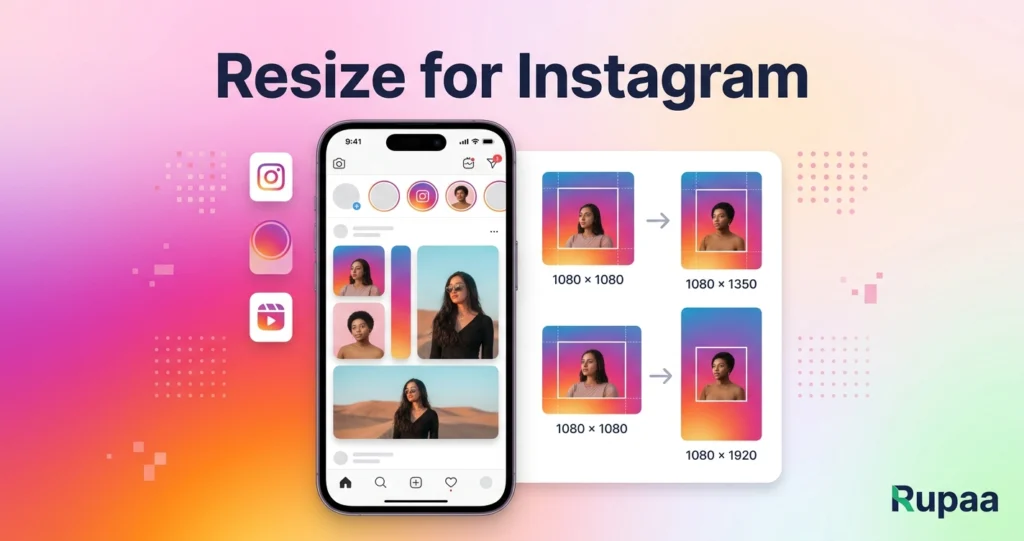
| Feed — square post | 1080 × 1080 | 1:1 |
| Feed — portrait | 1080 × 1350 | 4:5 |
| Feed — landscape | 1080 × 566 | 1.91:1 |
| Story / Reel | 1080 × 1920 | 9:16 |
| Reel cover | 1080 × 1920 | 9:16 |
| IGTV cover | 420 × 654 | 1:1.55 |
Which size should you use?
For feed posts
1080 × 1350 (4:5 portrait) is the best-performing size for feed posts. It takes up more vertical screen space than square, so it’s more eye-catching.
For Stories and Reels
1080 × 1920 (9:16 vertical). Leave space at the top and bottom for Instagram’s UI elements — around 250 px top and 340 px bottom.
For profile pictures
320 × 320. Instagram displays them as a circle, so crop your face centered.
How to resize any photo for Instagram
- Open our free Resize Image tool.
- Drop your photo into the upload area.
- Choose Social / marketplace preset mode.
- Select the Instagram preset you want (1080 × 1080, 1080 × 1350, etc.).
- Enable Smart crop to fill so the image isn’t stretched.
- Click Process, then download.
Everything runs in your browser. No upload, no signup.
Should you upload as JPG or PNG?
Instagram re-compresses every upload anyway, so the original format matters less than the dimensions and quality. That said:
- JPG: best for photos.
- PNG: use for graphics with sharp edges or transparency.
- WebP: smallest files, but Instagram re-encodes to JPG — no visible benefit.
For most photos, a JPG at quality 85–90 is perfect.
Common mistakes
- Uploading a portrait photo to a square crop without smart crop → stretched faces.
- Using too-small dimensions → Instagram upscales, which looks soft and blurry.
- Exporting PNG at high resolution → enormous files with no visible benefit.
- Forgetting Story safe zones → important text gets covered by Instagram’s UI.
Frequently asked questions
Can I post a landscape photo to Instagram?
Yes, but it will be displayed smaller than a portrait post. For maximum visibility, use 4:5 portrait.
What resolution is best for Reels?
1080 × 1920 (9:16). The video should also be 1080p or higher. Lower resolutions look soft after Instagram’s compression.
Should I upscale my photos for Instagram?
No. Always export at the target size directly from a high-quality original. Upscaling a small photo adds blur, not detail.
What about Instagram carousels?
All images in a carousel should use the same aspect ratio (usually 4:5 or 1:1). Instagram uses the first image’s ratio for the entire carousel.
Try it now
Use our Resize Image tool to batch-resize a whole folder of photos for Instagram. Free, private, no upload.